ReactFlow Workflow Automation: Building Visual Automation Platforms
Build powerful visual workflow automation platforms with ReactFlow. Design, test, and deploy complex automation workflows with an intuitive drag-and-drop interface.
Introduction to Visual Workflow Automation
Workflow automation is rapidly becoming the backbone of modern business operations. Organizations need tools that allow both technical and non-technical users to design, test, and deploy complex automation workflows without writing extensive code. By leveraging ReactFlow's powerful node-based rendering engine, you can build sophisticated visual workflow automation platforms that rival industry-leading tools.
This guide explores how to build a production-ready workflow automation platform using ReactFlow, covering everything from basic node setup to advanced features like conditional logic, parallel execution, and real-time monitoring.
Core Architecture
Workflow Components
A robust workflow automation platform consists of several key components:
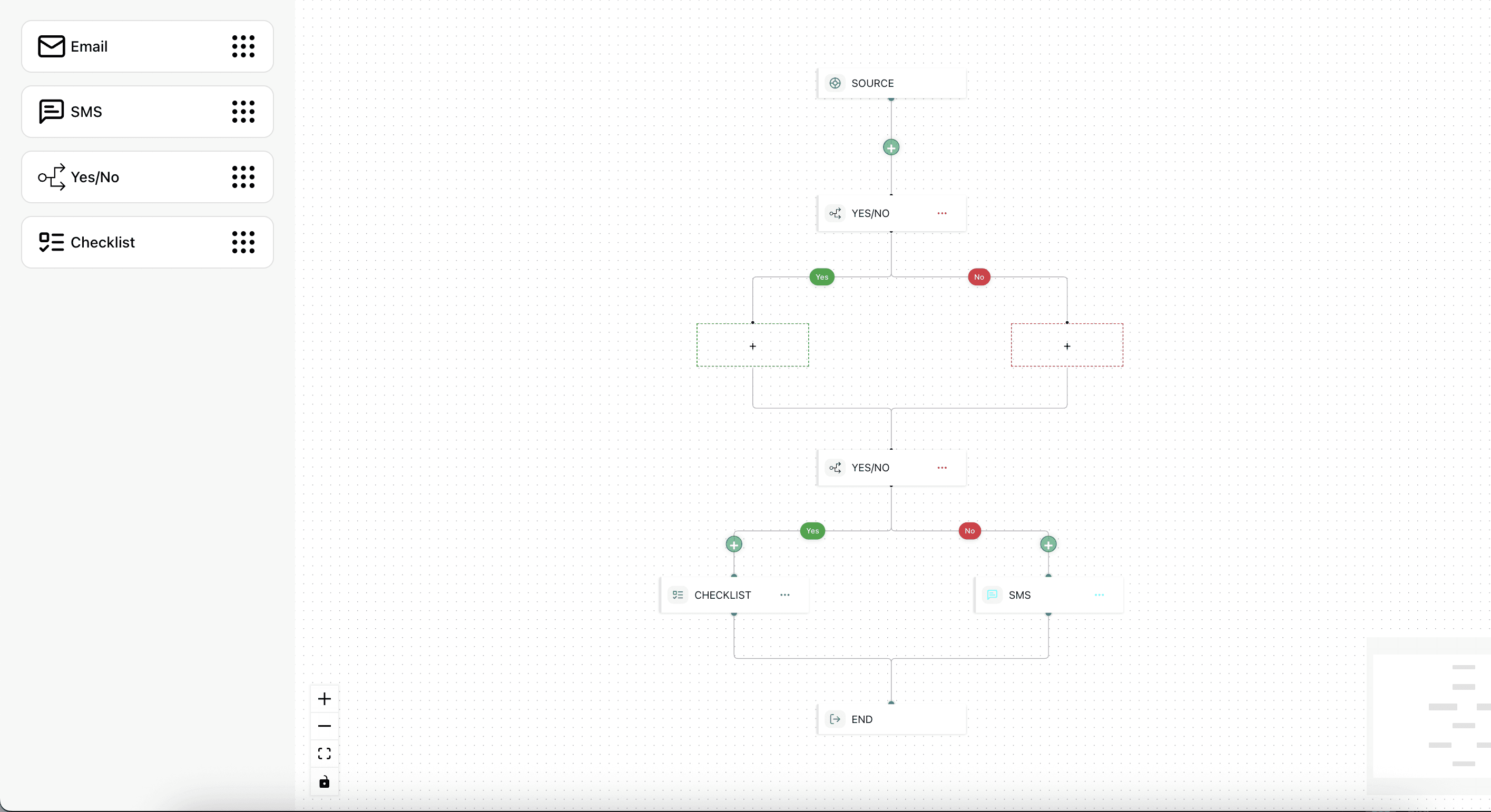
- Trigger Nodes: Events that start workflow execution (webhooks, schedules, manual triggers)
- Action Nodes: Steps that perform operations (API calls, data transformations, notifications)
- Condition Nodes: Decision points that branch workflow execution based on data
- Delay Nodes: Timed pauses between workflow steps
- Loop Nodes: Iterate over collections of data
Building the Workflow Canvas
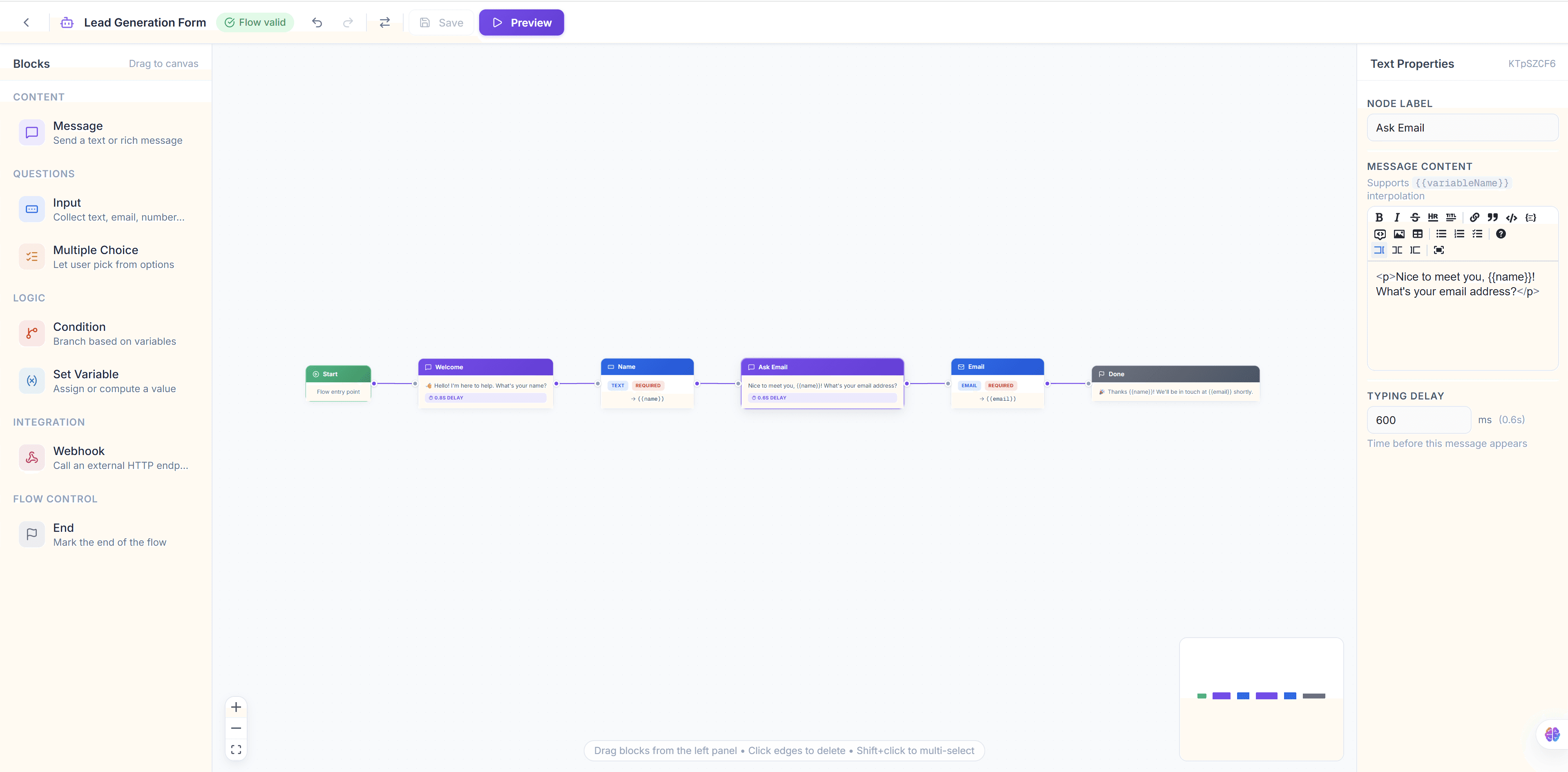
Setting Up the Visual Builder
import { ReactFlow, Background, Controls, MiniMap } from '@xyflow/react';

const nodeTypes = {
  trigger: TriggerNode,
  action: ActionNode,
  condition: ConditionNode,
  delay: DelayNode,
};

function WorkflowBuilder() {
  const [nodes, setNodes] = useState(initialNodes);
  const [edges, setEdges] = useState(initialEdges);

  return (
    <ReactFlow
      nodes={nodes}
      edges={edges}
      nodeTypes={nodeTypes}
      onNodesChange={onNodesChange}
      onEdgesChange={onEdgesChange}
      onConnect={onConnect}
      fitView
    >
      <Background />
      <Controls />
      <MiniMap />
    </ReactFlow>
  );
}
Creating Custom Node Types
Each node type serves a specific purpose in the automation workflow:
function TriggerNode({ data }) {
  return (
    <div className="trigger-node">
      <div className="node-header">
        <WebhookIcon />
        <span>{data.label}</span>
      </div>
      <div className="node-body">
        <p>{data.triggerType}</p>
      </div>
      <Handle type="source" position={Position.Bottom} />
    </div>
  );
}

function ConditionNode({ data }) {
  return (
    <div className="condition-node">
      <Handle type="target" position={Position.Top} />
      <div className="node-header">
        <BranchIcon />
        <span>{data.label}</span>
      </div>
      <div className="node-body">
        <p>{data.expression}</p>
      </div>
      <Handle type="source" position={Position.Bottom} id="true" />
      <Handle type="source" position={Position.Right} id="false" />
    </div>
  );
}
Advanced Features
Conditional Logic and Branching
Implement sophisticated branching logic that evaluates conditions at runtime:
- If/Else branches: Route workflow execution based on data values
- Switch statements: Handle multiple condition outcomes
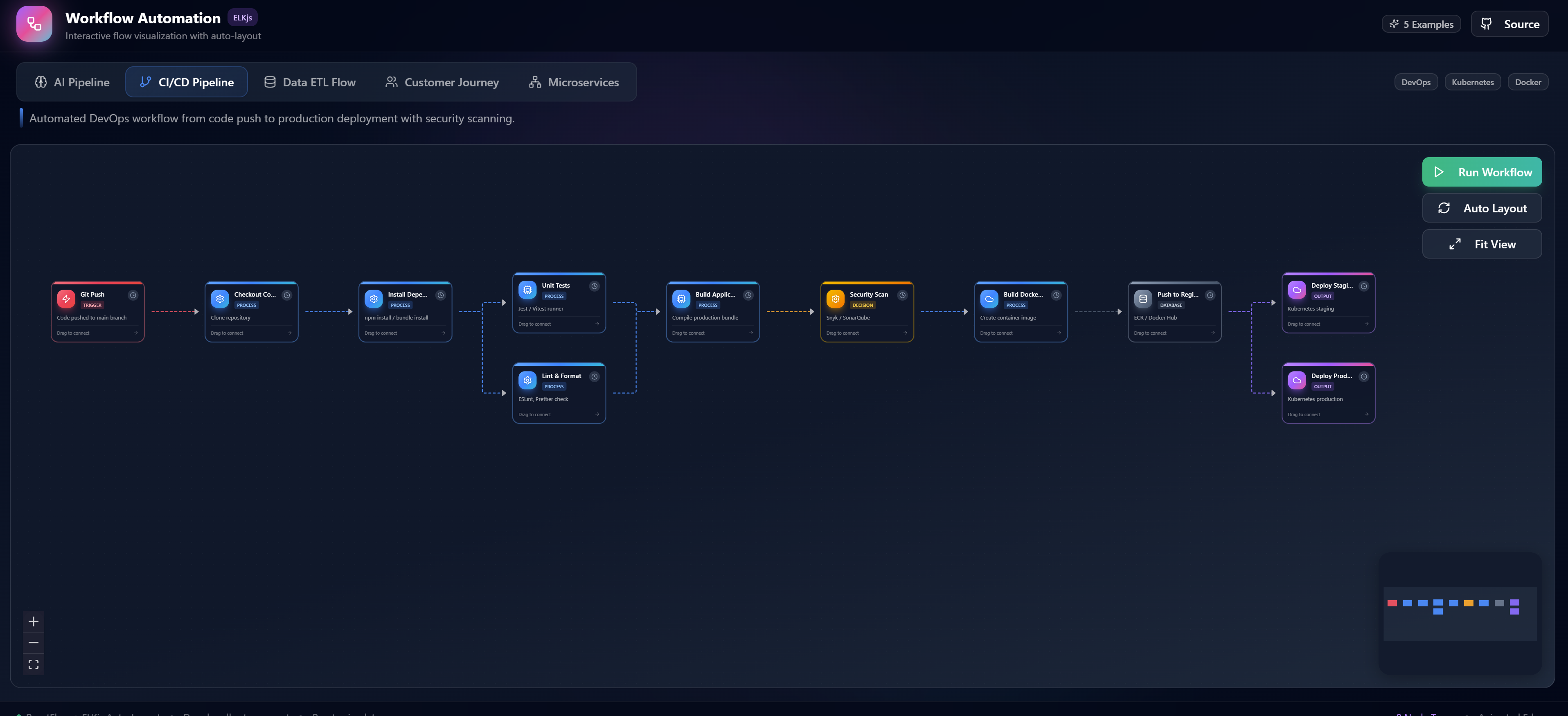
- Parallel paths: Execute multiple branches simultaneously
- Merge points: Combine parallel execution paths back together
Real-Time Execution Monitoring
Track workflow execution in real-time with visual feedback:
- Step-by-step execution highlighting
- Live data inspection at each node
- Error visualization with stack traces
- Performance metrics and timing data
Error Handling and Retry Mechanisms
Build resilient workflows with robust error handling:
- Configurable retry policies per node
- Fallback paths for error scenarios
- Dead letter queues for failed executions
- Alerting and notification on failures
Integration Patterns
Webhook Triggers
Configure webhook endpoints to trigger workflows from external events:
- HTTP method filtering (GET, POST, PUT)
- Payload validation and transformation
- Authentication and security verification
- Response configuration
API Integrations
Connect to external services and APIs:
- REST API connector with authentication
- Request/response transformation
- Rate limiting and throttling
- Connection pooling and caching
Database Operations
Interact with databases within your workflows:
- Query execution with parameterized inputs
- Batch operations for bulk data processing
- Transaction support for data integrity
- Connection management and pooling
Best Practices
- Modular design: Create reusable node components for common operations
- Error handling: Always implement proper error handling and retry logic
- Testing: Test workflows with sample data before deployment
- Monitoring: Set up logging and alerting for production workflows
- Version control: Track workflow changes with versioning
- Documentation: Document workflow purpose and configuration
Use Cases
- Customer onboarding: Automate welcome emails, account setup, and initial data collection
- Data processing: ETL pipelines for data transformation and loading
- Approval workflows: Multi-step approval processes with escalation logic
- Marketing automation: Campaign triggers, audience segmentation, and follow-up sequences
- DevOps automation: CI/CD pipelines, infrastructure provisioning, and monitoring alerts
Conclusion
Building a visual workflow automation platform with ReactFlow provides organizations with a powerful tool for designing and deploying complex business process automations. The drag-and-drop interface makes it accessible to all team members, while the underlying architecture supports enterprise-grade reliability and scalability. Start building your automation platform today and transform how your organization handles complex workflows.