VisualFlow Examples vs Building React Flow from Scratch
Save $24,000+ in Development Costs with Production-Ready React Flow Examples
Modern applications increasingly rely on flow-based interfaces.
From workflow automation and document approval systems to AI pipelines and low-code platforms, visual flows are now a core UX pattern.
But developers often face this question:
Should I build React Flow from scratch or use VisualFlow's ready-to-implement examples?
This article explains the difference clearly — with real-world context, practical insights, and implementation-focused thinking.
Spoiler: VisualFlow provides production-ready React Flow implementations that save you weeks of development time.
Understanding the Options
When building flow-based applications, developers typically have three options:
- Build React Flow from scratch - Start from zero
- Use design tools (Figma, Draw.io) - Static mockups only
- Use VisualFlow examples - Production-ready React Flow implementations
Let's compare these approaches.
Building React Flow from Scratch
Building React Flow applications from scratch is powerful but time-consuming.
What you need to build
- 🔧 Custom node components
- 🎨 Styling and themes
- 🧠 State management setup
- 💾 Backend integration
- 🔐 Authentication & permissions
- 📊 Data persistence logic
- ⚡ Performance optimization
- 🐛 Bug fixes and edge cases
Estimated time: 2-4 weeks for a basic implementation, 6-12 weeks for production-ready features.
The Reality
Most developers underestimate the complexity:
- Edge case handling
- Mobile responsiveness
- Undo/redo functionality
- Auto-layout algorithms
- Export/import features
- Real-time collaboration
- Performance at scale
Building from scratch makes sense for highly custom requirements, but it's expensive and risky for standard use cases.
What Is VisualFlow?
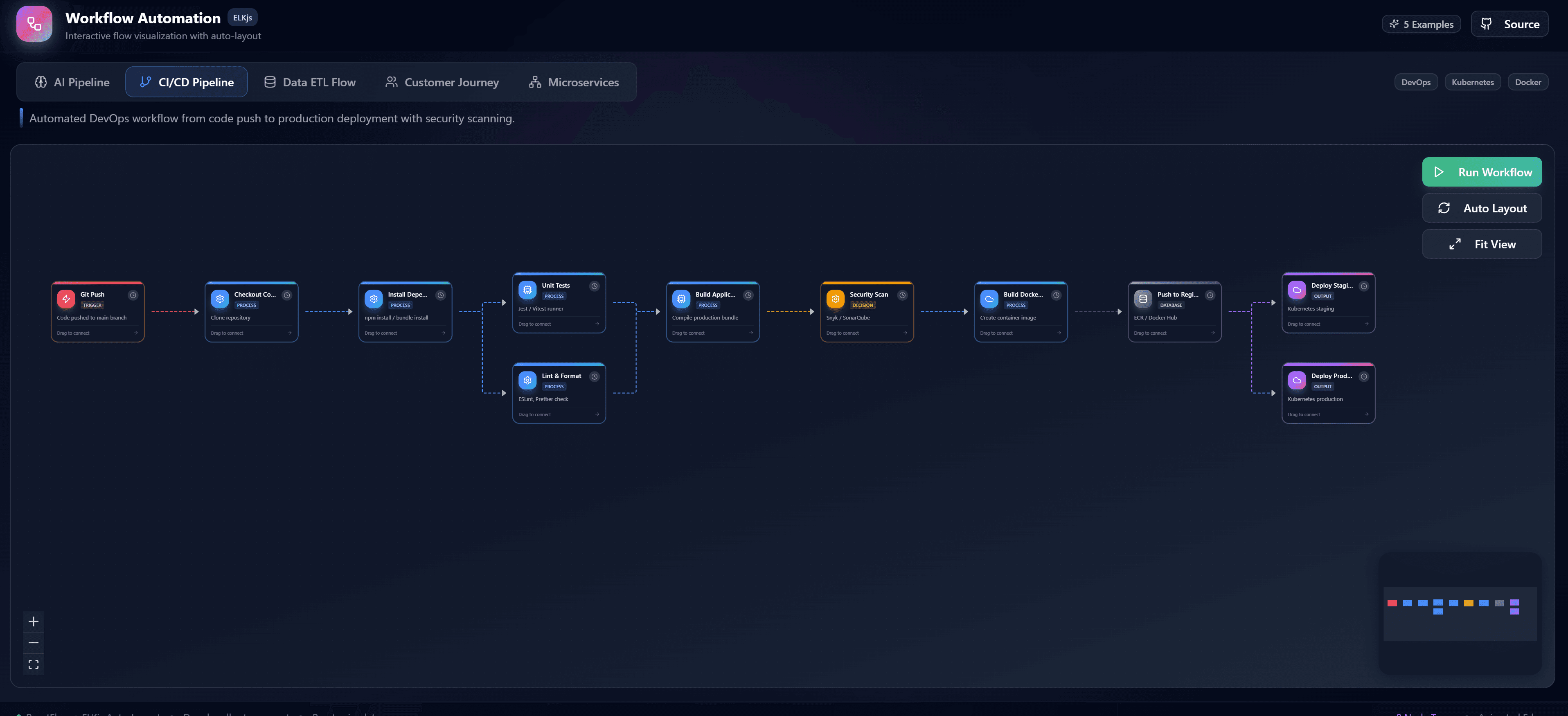
VisualFlow provides production-ready React Flow examples that you can implement immediately.
Unlike design tools or starting from scratch, VisualFlow gives you:
Complete, Working Implementations
- ✅ Fully functional React Flow applications
- ✅ Beautiful, modern UI/UX
- ✅ TypeScript for type safety
- ✅ Best practices built-in
- ✅ Optimized for performance
- ✅ Mobile responsive
- ✅ Well-documented code
Real-World Use Cases
VisualFlow examples cover common scenarios:
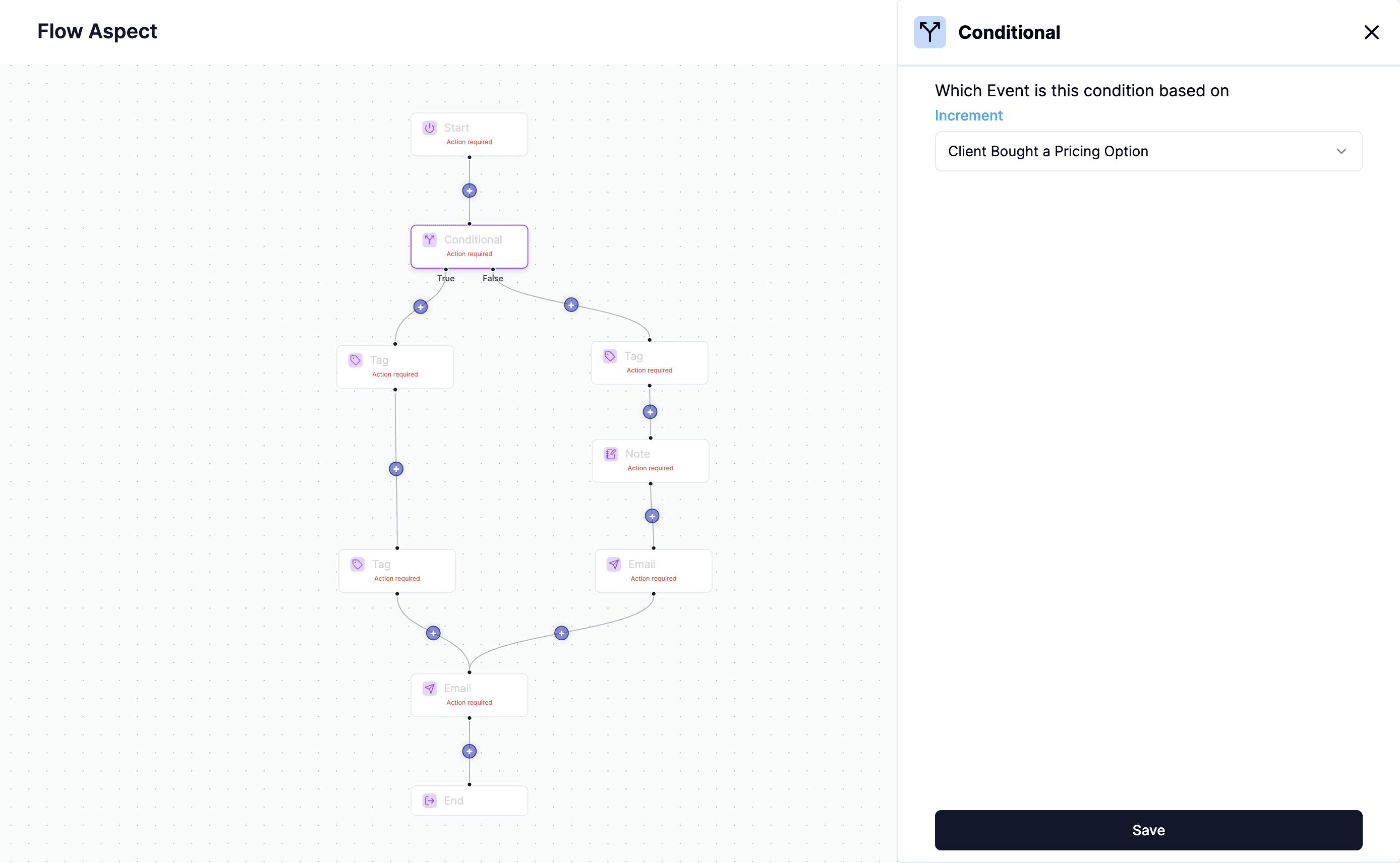
- Workflow Automation (Klaviyo, Zapier, n8n style)
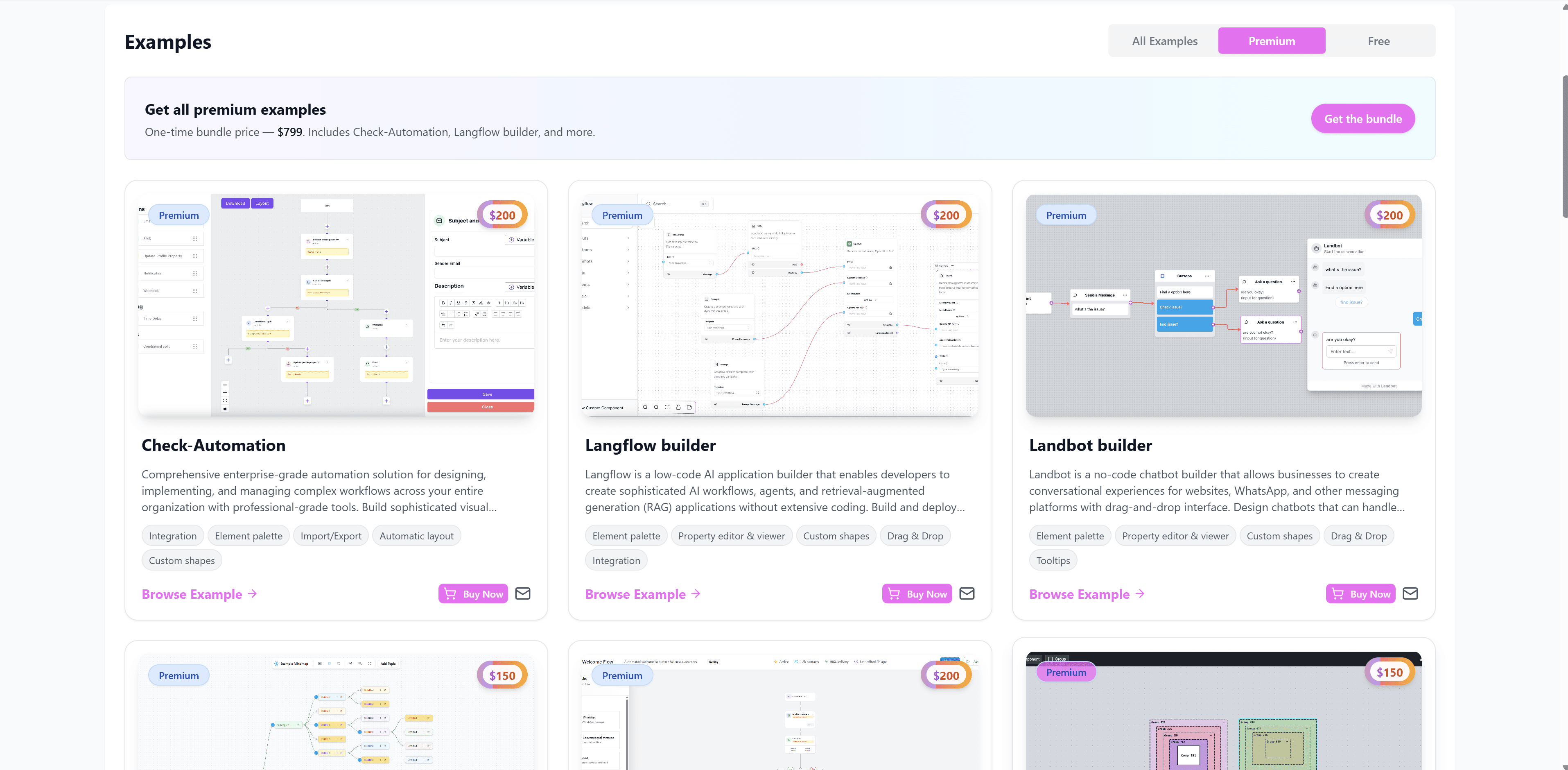
- Chatbot Builders (Landbot, Voiceflow style)
- Mind Maps and Knowledge visualization
- Organizational Charts with hierarchy
- Production Process Editors for manufacturing
- Timeline Builders for project management
- Force-Directed Layouts for network visualization
- Concept Maps for education
- And many more...
Each example is a complete, production-ready implementation — not a tutorial or basic demo.
What Makes VisualFlow Examples Production-Ready?
Every VisualFlow example includes:
Core Features
- 🧩 Custom node components with rich interactions
- 🔗 Dynamic edge logic with validation
- 🧠 State management (Zustand/Redux patterns)
- 🎨 Professional styling that matches modern UX standards
- 📱 Responsive design for all screen sizes
Advanced Capabilities
- 💾 Data persistence patterns ready for backend integration
- 🔐 Permission system examples
- ⚡ Performance optimized for large graphs
- 🎯 Auto-layout algorithms included
- 📤 Export/Import functionality (JSON, PNG, SVG)
- ↩️ Undo/Redo implementations
- 🔍 Search and filter capabilities
Developer Experience
- 📝 TypeScript throughout for type safety
- 🧪 Clean code architecture following React best practices
- 📖 Comprehensive documentation
- 🎨 Customizable themes and styling
- 🔧 Easy to extend and modify
- 🚀 Next.js ready with server components support
This makes VisualFlow examples suitable for immediate production deployment.
Feature Comparison: Building from Scratch vs VisualFlow
| Feature | Build from Scratch | Design Tools | VisualFlow Examples |
|---|---|---|---|
| Time to Implement | 6-12 weeks | N/A (not code) | Same day |
| Interactivity | ✅ Custom | ❌ Static | ✅ Pre-built |
| Production Ready | ⚠️ After testing | ❌ No | ✅ Yes |
| Custom Nodes | ✅ Build yourself | ❌ No | ✅ Included |
| State Management | ⚠️ You implement | ❌ No | ✅ Included |
| Backend Ready | ⚠️ You build | ❌ No | ✅ Patterns included |
| TypeScript | ⚠️ You add | ❌ No | ✅ Built-in |
| Documentation | ⚠️ You write | ❌ No | ✅ Comprehensive |
| Best Practices | ⚠️ Your responsibility | ❌ N/A | ✅ Built-in |
| Updates & Support | ⚠️ You maintain | ❌ N/A | ✅ Ongoing |
| Cost | High (dev time) | Low (design only) | Low (example cost) |
Winner: VisualFlow provides the best balance of speed, quality, and production-readiness.
Why VisualFlow Is Better for Ready Implementation
If your goal is to build and ship fast, VisualFlow is the clear winner.
1. Immediate Time Savings
Building from scratch: 6-12 weeks of development
Using VisualFlow: Same day implementation
Time saved: 280-480 developer hours
Cost saved: $14,000 - $48,000 (at $50-100/hour)
VisualFlow examples come with:
- ✅ All complex logic already implemented
- ✅ Edge cases already handled
- ✅ Performance already optimized
- ✅ Bugs already fixed
You focus on customization and business logic, not rebuilding the wheel.
2. Production-Ready Code Quality
VisualFlow examples are not tutorials or basic demos.
They are production-grade implementations with:
// Example: Professional state management in VisualFlow examples
import { create } from 'zustand';
import { persist } from 'zustand/middleware';

interface FlowStore {
  nodes: Node[];
  edges: Edge[];
  history: FlowState[];
  addNode: (node: Node) => void;
  updateNode: (id: string, data: any) => void;
  undo: () => void;
  redo: () => void;
  // ... full implementation included
}
Every example includes:
- Clean architecture with proper separation of concerns
- Type-safe TypeScript throughout
- Performance optimized with React best practices
- Error handling for edge cases
- Accessibility features (ARIA labels, keyboard navigation)
- Mobile-responsive layouts
- Dark mode support
You get enterprise-grade code without the enterprise timeline.
3. Backend Integration Patterns Included
VisualFlow examples include ready-to-use patterns for backend integration:
// Example: API integration pattern from VisualFlow
export async function saveFlow(flowData: FlowData) {
  const response = await fetch('/api/flows', {
    method: 'POST',
    headers: { 'Content-Type': 'application/json' },
    body: JSON.stringify(flowData),
  });

  if (!response.ok) throw new Error('Failed to save flow');
  return response.json();
}

// Usage in component (already wired up)
const handleSave = async () => {
  await saveFlow({ nodes, edges });
  toast.success('Flow saved successfully');
};
Works seamlessly with:
- Next.js API routes (examples included)
- NestJS backends (integration patterns provided)
- Prisma ORM (schema examples included)
- MongoDB, PostgreSQL (connection patterns shown)
- REST APIs and GraphQL (adapter patterns included)
- WebSockets for real-time collaboration
You get:
- ✅ Data persistence patterns
- ✅ User authentication hooks
- ✅ Permission checking examples
- ✅ Versioning and history tracking
- ✅ Multi-user collaboration patterns
4. Rich Feature Set Out-of-the-Box
VisualFlow examples include features that take weeks to build from scratch:
Node Management
- ✅ Drag-and-drop with snap-to-grid
- ✅ Multi-select and bulk operations
- ✅ Copy/paste functionality
- ✅ Node grouping and nesting
- ✅ Custom node templates
Edge Handling
- ✅ Multiple edge types (straight, bezier, step, smooth)
- ✅ Animated edges
- ✅ Custom edge labels
- ✅ Connection validation rules
- ✅ Edge markers and decorations
UI Components
- ✅ Toolbar with common actions
- ✅ Minimap for navigation
- ✅ Controls panel (zoom, fit view)
- ✅ Context menus (right-click)
- ✅ Property panels (edit node details)
- ✅ Search and filter
Advanced Features
- ✅ Undo/redo with history
- ✅ Auto-layout algorithms
- ✅ Export (PNG, SVG, JSON)
- ✅ Import from various formats
- ✅ Keyboard shortcuts
- ✅ Touch support for mobile
All of this is included — no additional development needed.
Scalability and Performance
VisualFlow examples are optimized for production-scale applications.
Performance Optimizations Included
// Example: Performance optimization in VisualFlow
const MemoizedNode = React.memo(CustomNode, (prev, next) => {
  return prev.data === next.data && prev.selected === next.selected;
});

// Virtualization for large graphs
const { visibleNodes } = useVirtualization(nodes, viewport);

// Debounced updates
const debouncedSave = useMemo(
  () => debounce(saveToBackend, 1000),
  []
);
Handles:
- 10,000+ nodes with smooth performance
- Viewport virtualization (only render visible nodes)
- Memoized components to prevent unnecessary re-renders
- Web Workers for heavy computations
- Optimized re-renders with proper React patterns
Suitable for:
- ✅ Enterprise platforms
- ✅ Government systems
- ✅ Automation engines with complex workflows
- ✅ AI pipelines with hundreds of steps
- ✅ Knowledge graphs with thousands of concepts
Real Cost Comparison
Let's look at actual costs for building a workflow automation tool:
Option 1: Build from Scratch
Development time: 8-12 weeks
Developer rate: $75/hour (mid-level)
Total hours: 320-480 hours
Total cost: $24,000 - $36,000
Plus:
- ❌ Risk of bugs and edge cases
- ❌ Ongoing maintenance burden
- ❌ No guarantee of best practices
- ❌ Longer time to market
Option 2: Use VisualFlow Examples
Cost: $50 - $150 per example
Implementation time: 1-2 days
Customization time: 1-2 weeks
Total cost: $50-150 (example) + $6,000-12,000 (customization)
Plus:
- ✅ Production-ready code immediately
- ✅ Best practices built-in
- ✅ Fully tested and optimized
- ✅ Faster time to market
- ✅ Support and updates
Savings: $12,000 - $24,000+ per project
The VisualFlow Advantage
High-performing teams choose VisualFlow because:
1. Speed to Market
- Start immediately with working code
- Ship in days instead of months
- Faster iterations with stakeholders
2. Lower Risk
- Pre-tested code with edge cases handled
- Production-proven implementations
- No surprises during development
3. Better Quality
- Enterprise-grade code quality
- Best practices from day one
- Professional UI/UX that impresses users
4. Cost Effective
- 90% cheaper than building from scratch
- No ongoing maintenance of core functionality
- Free updates as React Flow evolves
Real-World Use Cases: VisualFlow in Action
Companies and developers use VisualFlow examples for:
Workflow Automation
Build tools like Zapier, n8n, or Make.com:
- Klaviyo Flow Example: Marketing automation workflows
- Zapier Integration Example: Multi-step automation builder
- n8n Builder Example: Advanced workflow automation
Conversational AI
Create chatbot builders like Landbot or Voiceflow:
- Landbot Builder Example: Chatbot conversation flows
- Voiceflow Example: Voice and chat bot design
Knowledge Management
Build mind maps and concept visualization tools:
- Mind Map Example: Hierarchical knowledge organization
- Concept Map Example: Educational knowledge visualization
Data Visualization
Create network and graph visualizations:
- Force-Directed Layout: Network relationship visualization
- Multi-Color Graph: Complex data with color coding
- Spiral Layout: Elegant circular visualizations
Business Applications
- Organizational Charts: Company hierarchy visualization
- Production Process Editor: Manufacturing workflows
- Timeline Builder: Project management and planning
Each example is a complete, working application — ready for your users.
How to Get Started with VisualFlow
Ready to save weeks of development time?
Step 1: Browse Examples
- Visit VisualFlow.dev
- Explore free examples to see the code quality
- Check live demos of paid examples
Step 2: Choose Your Example
- Select the example closest to your needs
- All examples include full source code
- TypeScript, React Flow, and Next.js ready
Step 3: Implement & Customize
- Download and run locally
- Customize nodes, edges, and styling
- Add your business logic
- Connect to your backend
Step 4: Deploy
- Deploy to Vercel, Netlify, or your platform
- Add your authentication and database
- Launch to production
Time from purchase to production: 1-2 weeks instead of 2-3 months.
Final Verdict
Building from scratch is expensive and slow.
Design tools can't execute.
VisualFlow gives you production-ready React Flow implementations.
If your goal is:
- ✅ Fast time to market
- ✅ Production-grade code quality
- ✅ Lower development costs
- ✅ Professional UI/UX
- ✅ Best practices built-in
👉 VisualFlow is the better choice.
Closing Thoughts
Time is your most valuable resource.
Building React Flow applications from scratch costs:
- $24,000 - $36,000 in developer time
- 8-12 weeks of development
- Risk of bugs and poor implementation
- Ongoing maintenance burden
VisualFlow examples cost:
- $50-150 per example
- Same day to start implementation
- Production-tested and optimized
- Best practices included
The choice is clear.
Ready to ship faster?
👉 Explore VisualFlow Examples
👉 View Live Demos
👉 Read More Tutorials
Start building today. Ship tomorrow.