Best Diagramming Libraries for Complex React Applications: A Developer's Complete Guide
Compare the best diagramming libraries for React applications, including React Flow, JointJS, GoJS, Cytoscape.js, yFiles, Rete.js, and bpmn-js.
Building a diagramming application with React involves much more than displaying boxes and connecting lines. Modern visual applications need interactive nodes, custom edges, automatic layouts, graph validation, state management, zooming, collaboration, and reliable performance as diagrams grow.
Whether you are developing a workflow automation platform, AI agent builder, architecture visualization tool, BPMN editor, knowledge graph, or visual programming environment, choosing the right diagramming library can significantly influence your application's architecture and development experience.
The React ecosystem offers several powerful solutions, including React Flow, JointJS, GoJS, Cytoscape.js, yFiles, Rete.js, and bpmn-js. However, these libraries are designed around different requirements.
Some prioritize React-native components and customizable workflow interfaces. Others provide sophisticated graph models, advanced diagramming features, network analysis, or specialized modeling capabilities.
In this guide, we compare the best diagramming libraries for complex React applications, examine their architectures, explore their strengths and limitations, and explain how to select the right technology for production environments.
1. What Makes a Diagramming Library Suitable for Complex React Applications?
A basic diagramming tool might only require nodes, edges, and a canvas. A production-grade diagramming application has considerably more demanding requirements.
Before selecting a library, consider the following capabilities.
Custom nodes and edges
Custom nodes allow developers to create specialized visual components for different types of information.
For example, an AI workflow builder might require:
- LLM model nodes
- Prompt configuration nodes
- API integration nodes
- Database nodes
- Conditional branching nodes
- Memory and retrieval nodes
Custom edges may also require animated connections, labels, directional markers, validation indicators, and different routing strategies.
Graph state management
Complex diagrams require predictable state management.
Developers need to manage:
- Node creation and deletion
- Edge connections and disconnections
- Node positioning
- Selection and interaction states
- Undo and redo
- Graph serialization
- Persistence and restoration
- Real-time synchronization
For large applications, separating graph state from unrelated interface state is particularly important.
Automatic graph layout
Manually positioning hundreds of nodes is not a practical approach for most applications.
Automatic graph layout engines help organize complex structures using algorithms such as:
- Hierarchical layout
- Tree layout
- Force-directed layout
- Radial layout
- Layered layout
- Orthogonal layout
Libraries such as Dagre, ELK.js, and D3 provide different approaches to graph positioning and visualization.
Performance and scalability
A diagramming library must remain responsive when users interact with large graphs.
Performance depends on several factors:
- Number of visible nodes and edges
- Complexity of custom node components
- Rendering technology
- State subscription architecture
- Edge routing complexity
- Browser rendering workload
- Frequency of graph updates
A graph containing 500 lightweight nodes behaves differently from one containing 500 nodes with forms, charts, animations, and multiple interactive controls.
Extensibility and integration
Production applications rarely operate independently.
Your diagramming library may need to integrate with:
- React and Next.js
- TypeScript
- Zustand or Redux
- REST APIs and GraphQL
- WebSockets
- Collaboration services
- Authentication systems
- Backend workflow execution engines
The right library should support your application's architecture rather than force you to redesign everything around its internal model.
2. Best Diagramming Libraries for React Applications
Let's examine seven important diagramming solutions and understand where each one fits.
1. React Flow (@xyflow/react)
Best for: React-based workflow builders, node editors, visual programming interfaces, and interactive diagramming applications.
React Flow, maintained by the xyflow team, is one of the most flexible choices for developers building interactive node-based applications with React.
It provides a customizable canvas where nodes and edges can be represented through React components.
Unlike traditional diagramming libraries that define most visual elements through their own rendering models, React Flow allows developers to build nodes using familiar React patterns.
This makes it particularly useful for SaaS applications where diagram elements need to behave like regular application interfaces.
Key capabilities
- Custom React nodes and edges
- Multiple connection handles
- Drag-and-drop interactions
- Zooming and panning
- Node and edge selection
- Subflows and grouping
- Background and minimap components
- Keyboard interactions
- Controlled and uncontrolled graph state
- TypeScript support
- Custom connection validation
Why developers choose React Flow
The biggest advantage is its React-native development experience.
You can embed forms, buttons, dropdowns, configuration panels, status indicators, and other interactive components directly inside custom nodes.
For example, an AI agent builder can represent its architecture using different node types:
- Input node
- Prompt node
- LLM node
- Tool node
- Memory node
- Output node
Each node can have its own configuration interface and application logic.
React Flow also integrates naturally with state-management solutions such as Zustand, making it suitable for complex interactive editors.
Performance considerations
React Flow is flexible, but developers must design their applications carefully.
Large diagrams can experience unnecessary rendering when custom nodes subscribe to excessive graph state or when frequently changing values trigger updates across unrelated components.
Important optimization strategies include:
- Memoizing custom node and edge components where appropriate.
- Defining nodeTypes and edgeTypes outside frequently rendered components.
- Using stable callback and object references.
- Avoiding unnecessary subscriptions to complete node and edge arrays.
- Separating application state from graph interaction state.
- Keeping custom node components lightweight.
- Hiding or collapsing unnecessary graph sections.
- Measuring actual rendering performance with realistic workloads.
React Flow 13, released in November 2026, introduces further performance and developer-experience improvements, including finer-grained internal stores, React Compiler integration, and additional hooks.
Limitations
React Flow is a foundation for building diagramming applications rather than a complete enterprise diagramming product.
Depending on your requirements, you may need additional solutions for:
- Advanced automatic layouts
- Complex edge routing
- Collaboration
- Version history
- Undo and redo
- Import and export
- Domain-specific diagram validation
These features can be implemented through additional libraries and application architecture.
Ideal use cases
- Workflow automation builders
- AI agent builders
- Visual programming interfaces
- Data pipeline editors
- Marketing automation tools
- Interactive flowcharts
- SaaS workflow editors
- Custom graph-based applications
Verdict: React Flow is an excellent starting point when your product needs highly customizable React components and a flexible node-based editing experience.
Official website: https://reactflow.dev/
2. JointJS
Best for: Advanced diagram editors, enterprise applications, and applications requiring a dedicated graph model.
JointJS is a JavaScript diagramming library designed for creating interactive graph-based applications.
It provides a dedicated graph model, SVG-based rendering, configurable elements, links, ports, and interaction capabilities.
Its newer React integration, @joint/react, allows developers to use React components and hooks while working with the JointJS graph architecture.
Key capabilities
- Structured graph data models
- Custom diagram elements
- Links and connection ports
- SVG-based rendering
- Interactive graph editing
- Custom shapes and connectors
- Element and link tools
- Advanced diagram interactions
- React integration
JointJS is particularly interesting when the diagram itself represents a sophisticated domain-specific data model.
For example, an industrial monitoring application may require specialized equipment nodes, connection ports, status indicators, and complex relationships.
JointJS provides a dedicated diagramming architecture for these requirements.
React integration
JointJS separates its graph model and rendering engine from the surrounding React application.
This means developers should understand how the JointJS graph model interacts with React components and application state.
For teams building sophisticated diagramming products, this separation can be useful.
Limitations
- Its programming model differs from a purely React-native component architecture.
- Developers need to understand its graph model.
- Some advanced editor conveniences are available through JointJS+ rather than the free community edition.
- Commercial features and licensing need to be evaluated separately.
Ideal use cases
- Industrial monitoring applications
- Enterprise diagram editors
- Network infrastructure visualization
- Technical process diagrams
- Advanced workflow modeling
Verdict: JointJS is worth considering when your application requires a dedicated diagramming model and sophisticated editing capabilities.
Official website: https://www.jointjs.com/
Documentation: https://docs.jointjs.com/react/
3. GoJS
Best for: Feature-rich commercial diagramming applications and advanced interactive visualizations.
GoJS is a JavaScript and TypeScript library for building interactive diagrams and graph-based applications.
It provides its own diagram model, templates, layouts, commands, and interaction mechanisms.
Developers can use GoJS with React, but the underlying diagram architecture is not based on React components in the same way as React Flow.
Key capabilities
- Interactive node and link models
- Custom templates
- Automatic layouts
- Grouping and subgraphs
- Selection and editing
- Diagram commands
- Model serialization
- Custom drawing tools
- Extensive diagram examples
GoJS is useful when an application requires a substantial set of diagramming features without implementing every interaction from scratch.
For example, an organizational chart application might require:
- Hierarchical layouts
- Expandable groups
- Custom node templates
- Editable connections
- Drag-and-drop organization
- Complex selection behavior
GoJS provides a mature foundation for this category of application.
Limitations
- Its architecture requires learning the GoJS model.
- It is not a React-native node rendering solution.
- Commercial licensing applies to organizational use.
- Developers should evaluate how custom React UI will integrate into GoJS templates.
Ideal use cases
- Organizational charts
- Engineering diagrams
- Infrastructure visualization
- Industrial monitoring
- Interactive business diagrams
Verdict: GoJS is a strong candidate for teams looking for a feature-rich commercial diagramming toolkit.
Official website: https://gojs.net/
4. Cytoscape.js
Best for: Network visualization, relationship graphs, and graph analysis applications.
Cytoscape.js is a graph theory library designed for visualizing and analyzing network structures.
It is particularly useful when the application focuses on relationships between entities rather than configuring individual workflow steps.
Its graph model and algorithms make it suitable for applications that need to explore connections, identify patterns, and analyze complex networks.
Key capabilities
- Graph data modeling
- Node and edge visualization
- Graph traversal algorithms
- Network analysis
- Force-directed layouts
- Graph filtering
- Interactive selection
- Touch interactions
- JSON serialization
- Extensible layouts and plugins
Why developers choose Cytoscape.js
Consider a knowledge graph containing thousands of interconnected entities.
Users may need to:
- Explore relationships
- Find neighboring nodes
- Identify connected components
- Calculate shortest paths
- Filter specific entity types
- Highlight important connections
Cytoscape.js is designed around these graph-oriented requirements.
Limitations
- It is not primarily designed for complex React form-based workflow editors.
- Custom application interfaces may require additional React integration.
- Workflow-specific behaviors need to be implemented separately.
Ideal use cases
- Knowledge graphs
- Social network visualization
- Biological networks
- Dependency analysis
- Relationship mapping
- Network topology exploration
Verdict: Choose Cytoscape.js when graph analysis and relationship exploration are more important than building a React-native workflow editor.
Official website: https://js.cytoscape.org/
5. yFiles
Best for: Enterprise graph visualization, advanced layouts, and complex diagramming requirements.
yFiles is a commercial diagramming SDK designed for sophisticated graph visualization and interactive editing.
It provides extensive functionality for applications that require advanced graph algorithms, complex hierarchical structures, and automatic layouts.
Unlike a lightweight node editor, yFiles offers a broader diagramming infrastructure.
Key capabilities
- Advanced automatic graph layouts
- Hierarchical diagrams
- Grouping and collapsing
- Swimlanes
- Graph filtering
- Graph analysis algorithms
- Interactive editing
- Edge routing
- Import and export
- Large graph visualization
One of its major advantages is its extensive layout and graph-analysis capabilities.
For example, enterprise architecture applications may need to visualize thousands of dependencies across multiple systems.
Users may need to filter the graph, collapse groups, explore relationships, and rearrange complex structures.
yFiles provides functionality for these scenarios.
Limitations
- Commercial licensing.
- A substantial API and feature set to learn.
- Its architecture is different from React-native component-based diagramming.
- Procurement and licensing costs should be considered early.
Ideal use cases
- Enterprise architecture
- Complex dependency graphs
- Network visualization
- Large organizational structures
- Advanced engineering diagrams
Verdict: yFiles deserves consideration when advanced graph functionality is a major requirement and a commercial SDK fits your budget.
Official website: https://www.yworks.com/products/yfiles-for-html
6. Rete.js
Best for: Visual programming, executable node graphs, and dataflow applications.
Rete.js is a modular framework for building node-based visual programming environments.
It is particularly relevant when a graph does not simply represent information but describes executable logic.
Developers can create nodes with inputs, outputs, controls, and processing behavior.
The framework supports multiple visualization technologies, including React.
Key capabilities
- Modular node editor architecture
- Input and output sockets
- Custom node components
- Dataflow processing
- Control-flow processing
- Plugin-based extensions
- TypeScript support
- Multiple rendering integrations
Why developers choose Rete.js
Consider an application where users create a processing pipeline.
A node might receive data, transform it, and pass the result to another node.
For example:
Input → Data Transformation → Conditional Logic → Output
Rete.js provides an architecture that supports both the visual representation and graph processing aspects of this application.
Limitations
- Its modular architecture requires understanding its package ecosystem.
- It is more specialized than a general-purpose diagramming canvas.
- Developers may need additional implementation for product-specific editor experiences.
Ideal use cases
- Visual programming environments
- Data processing applications
- Computational graphs
- Node-based scripting tools
- Executable workflow editors
Verdict: Rete.js is an interesting option when executing and processing node-based logic is central to your product.
Official website: https://retejs.org/
7. bpmn-js
Best for: BPMN 2.0 business process modeling and workflow documentation.
bpmn-js is a browser-based BPMN 2.0 modeling and visualization toolkit.
Unlike general-purpose diagramming libraries, it is designed specifically around the Business Process Model and Notation standard.
This distinction is important.
If your application needs to represent standardized business processes, using a general-purpose graph editor means implementing BPMN-specific rules and behavior yourself.
bpmn-js already provides a foundation for BPMN diagrams.
Key capabilities
- BPMN 2.0 diagram rendering
- Process modeling
- Diagram editing
- XML import and export
- Custom elements
- Modeling rules
- Extensible architecture
- Browser-based visualization
Limitations
- Its primary purpose is BPMN modeling.
- It is less suitable for completely custom node-based interfaces.
- Developers need to understand BPMN concepts and its XML-based representation.
Ideal use cases
- Business process modeling
- BPMN workflow editors
- Process documentation
- Enterprise process management
- Business automation visualization
Verdict: If BPMN 2.0 compliance is a requirement, bpmn-js is a natural candidate.
Official website: https://bpmn.io/toolkit/bpmn-js/
3. Quick Comparison: Which React Diagramming Library Should You Choose?
The following comparison focuses on application fit rather than claiming that one library is universally better.
LibraryBest application typeArchitectureLicensing
React Flow
Workflow builders and node editors
React-native
MIT
JointJS
Advanced diagram editors
Dedicated graph model with React integration
MPL 2.0 core; commercial JointJS+
GoJS
Feature-rich diagram applications
Independent diagram model
Commercial
Cytoscape.js
Network graphs and analysis
Graph theory model
MIT
yFiles
Enterprise graph visualization
Dedicated graph SDK
Commercial
Rete.js
Visual programming
Modular processing-oriented framework
MIT
bpmn-js
BPMN process editors
BPMN modeling toolkit
Open source
Which library fits your application?
Application requirementRecommended starting point
AI agent builder
React Flow or Rete.js
SaaS workflow builder
React Flow
Knowledge graph
Cytoscape.js
Enterprise diagram editor
JointJS or yFiles
Organizational chart
GoJS or React Flow
BPMN editor
bpmn-js
Visual programming environment
Rete.js
Interactive data pipeline
React Flow
Large dependency visualization
Cytoscape.js or yFiles
The best choice ultimately depends on your graph model, interaction requirements, rendering architecture, and development constraints.
4. React Flow vs Other Diagramming Libraries: What Actually Matters?
A feature comparison does not always reveal the architectural differences between diagramming solutions.
The more important question is how each library handles the complexity of a production application.
React Flow vs JointJS
React Flow represents nodes through React components and uses a React-oriented development experience.
JointJS provides a dedicated graph model and rendering engine, with React integration through its React packages.
React Flow is particularly attractive when custom nodes need to contain substantial application UI.
JointJS deserves consideration when the diagram's underlying model and editing capabilities are the primary concern.
Neither architecture is automatically superior. The correct decision depends on how your application represents and updates graph data.
React Flow vs GoJS
React Flow offers a flexible foundation for building custom React-native interfaces.
GoJS provides its own diagramming model, templates, and built-in interaction mechanisms.
React Flow may require additional libraries and custom implementation for advanced editor functionality.
GoJS may provide more diagramming behavior directly, but developers need to work within its architecture.
Consider the complexity of your custom nodes, existing React design system, licensing requirements, and expected diagram behavior.
React Flow vs Cytoscape.js
These libraries address different application requirements.
React Flow is focused on interactive node-based interfaces.
Cytoscape.js is designed for graph visualization and analysis.
For a workflow builder where users configure nodes and connect business logic, React Flow is often a more natural starting point.
For a network exploration application where users analyze relationships and graph structures, Cytoscape.js is a strong candidate.
React Flow vs Rete.js
React Flow is a general-purpose foundation for interactive graph interfaces.
Rete.js is more closely oriented toward visual programming and graph processing.
If your product primarily needs a customizable diagram editor, React Flow offers considerable flexibility.
If users need to construct and execute dataflow or control-flow graphs, Rete.js provides a specialized framework.
5. The Role of Graph Layout Engines in Complex React Applications
A diagramming library does not necessarily provide every layout algorithm required by a production application.
This is where external graph layout engines become important.
Three commonly used options are Dagre, ELK.js, and D3.
Dagre
Dagre is a directed graph layout library.
It is useful for automatically arranging nodes in hierarchical structures.
Common applications include:
- Flowcharts
- Decision trees
- Dependency graphs
- Sequential workflows
- Organization charts
Dagre is particularly useful when a graph needs a straightforward top-to-bottom or left-to-right structure.
ELK.js
ELK.js provides more advanced graph layout capabilities through the Eclipse Layout Kernel.
It is particularly useful for complex diagrams requiring:
- Layered layouts
- Orthogonal routing
- Multiple ports
- Hierarchical structures
- Advanced edge placement
- Nested graph arrangements
For complex workflow builders and technical diagrams, ELK.js offers more layout configuration than a simple hierarchical layout engine.
D3.js
D3.js is a collection of visualization modules for creating data-driven visual representations.
Its ecosystem includes tools for:
- Force-directed layouts
- Hierarchical trees
- Radial structures
- Data transformations
- Network visualization
- Geometric calculations
D3 is particularly useful when the application requires a custom visualization rather than a conventional workflow editor.
Choosing the right layout engine
RequirementSuggested engine
Simple directed flowcharts
Dagre
Complex hierarchical layouts
ELK.js
Orthogonal edge routing
ELK.js
Force-directed networks
D3-Force
Radial trees
D3-Hierarchy
Custom data visualization
D3.js
A useful architecture is to separate graph rendering from graph layout.
The diagramming library handles rendering and interactions, while the layout engine calculates node positions and edge arrangements.
This separation makes it easier to replace or extend layout algorithms as application requirements evolve.
For a deeper comparison, read Auto Layout: Dagre vs ELK in Production.
6. How to Evaluate a Diagramming Library Before Production
A library that works in a small demonstration may not be suitable for a production application.
Before committing to a technology, evaluate it against realistic application requirements.
Rendering performance
Test diagrams containing different node counts and node complexities.
Measure:
- Initial rendering time
- Time required to update graph data
- Dragging responsiveness
- Zooming and panning
- Edge rendering performance
- Memory consumption
Do not rely on a single node-count benchmark.
A graph with 2,000 simple nodes is fundamentally different from one containing 2,000 complex React components.
State architecture
Investigate how the library manages its internal graph state.
Consider whether it supports:
- Controlled graph updates
- Efficient subscriptions
- Partial updates
- Serialization
- Undo and redo integration
- External state management
For complex React applications, avoid coupling every interface component to the entire graph state.
Customization
Test your most complicated node before selecting the library.
A realistic node may include:
- Multiple connection handles
- Forms and input fields
- Dropdown menus
- Validation messages
- Status indicators
- Contextual actions
- Dynamic content
If implementing this node requires extensive workarounds, the library may not be a good architectural fit.
Layout and routing
Evaluate whether the library supports your required layout algorithms directly or needs external dependencies.
Also examine:
- Edge crossings
- Node collisions
- Port positioning
- Nested graph layouts
- Dynamic repositioning
- Incremental layout updates
Licensing and long-term maintenance
Review licensing before integrating a library into a commercial SaaS product.
Also investigate:
- Documentation quality
- Release activity
- Community support
- TypeScript support
- Framework compatibility
- Upgrade paths
- Commercial support availability
7. Building a Production-Ready Diagramming Architecture with React Flow
For developers choosing React Flow, the next challenge is designing the application architecture.
A production workflow builder should not be implemented as one large component containing every graph operation.
A more maintainable architecture separates the responsibilities.
Recommended architecture
1. Rendering layer
Responsible for:
- React Flow canvas
- Custom nodes
- Custom edges
- Handles
- Viewport controls
- MiniMap
- Background
2. Graph state layer
Responsible for:
- Nodes and edges
- Selection
- Connections
- Node positions
- Graph updates
- Validation state
Zustand can be useful for organizing graph state into smaller, focused stores or selectors.
3. Layout layer
Responsible for:
- Dagre
- ELK.js
- D3 layouts
- Edge routing
- Position calculations
4. Application logic layer
Responsible for:
- Workflow execution
- Business rules
- Node configuration
- API integrations
- Validation
- Permissions
5. Persistence layer
Responsible for:
- Graph serialization
- Database persistence
- Version history
- Import and export
- Recovery and restoration
This separation prevents diagram rendering, business logic, and backend execution from becoming tightly coupled.
Example project structure
codesrc/ ├── components/ │ ├── canvas/ │ │ ├── WorkflowCanvas.tsx │ │ ├── CanvasControls.tsx │ │ └── MiniMap.tsx │ │ │ ├── nodes/ │ │ ├── TriggerNode.tsx │ │ ├── ConditionNode.tsx │ │ ├── ActionNode.tsx │ │ └── OutputNode.tsx │ │ │ └── edges/ │ └── CustomEdge.tsx │ ├── store/ │ ├── graphStore.ts │ └── editorStore.ts │ ├── layouts/ │ ├── dagreLayout.ts │ └── elkLayout.ts │ ├── services/ │ ├── workflowService.ts │ └── persistenceService.ts │ ├── types/ │ └── workflow.ts │ └── utils/ ├── validation.ts └── serialization.ts
This architecture allows each part of the diagramming application to evolve independently.
8. Common Mistakes When Choosing a Diagramming Library
Choosing based only on appearance
A visually impressive demo does not guarantee that the library can support your actual editing requirements.
Test real application interactions before making a decision.
Ignoring graph state complexity
As the number of nodes increases, inefficient state updates can create unnecessary rendering work.
Design state management around the expected interaction patterns.
Treating every diagram as a workflow
A knowledge graph, BPMN model, visual programming environment, and automation builder are different products.
Select a library based on the underlying problem rather than assuming every graph needs the same architecture.
Ignoring layout requirements
Automatic layout is often essential to usability.
Evaluate layout engines early, especially when your application includes deeply nested structures or complex connections.
Underestimating commercial licensing
A library may be free for development or evaluation but require a commercial license for production use.
Always verify the current licensing terms.
Building everything from scratch
Implementing node rendering, connection handling, graph state, edge routing, selection, and viewport interactions independently can significantly increase development time.
Start with a suitable foundation and extend it where necessary.
9. How VisualFlow Helps Developers Build Complex React Flow Applications
Choosing the right library is only the beginning.
Developers building production workflow editors still need to implement custom nodes, edges, graph layouts, state management, interactions, and application-specific behavior.
This is where VisualFlow becomes useful.
VisualFlow provides React Flow examples, interactive applications, reusable components, and production-oriented workflow templates designed to help developers understand and accelerate the development of node-based interfaces.
Instead of starting every diagramming project with an empty canvas, developers can explore working implementations and adapt their architecture to their requirements.
Explore React Flow examples
The VisualFlow Examples Library includes interactive implementations covering different diagramming and visualization patterns.
Developers can explore examples involving:
- Interactive flowcharts
- Mind maps
- Tree diagrams
- Force-directed graphs
- Sankey diagrams
- Nested workflows
- Timeline editors
- Visual workflow builders
Explore production-ready workflow templates
The VisualFlow Templates Library provides reusable starting points for more advanced applications.
Examples include:
- AI agent builders
- Langflow-style workflow editors
- Marketing automation builders
- Microservices architecture diagrams
- Canvas workflow builders
- Sequence diagram editors
- Large-scale diagramming applications
Learn practical React Flow architecture
VisualFlow also provides technical resources covering:
- Custom nodes and edges
- React Flow state management
- Automatic graph layouts
- Dagre and ELK.js
- Performance optimization
- Graph validation
- Workflow architecture
Explore the VisualFlow Learning Resources to understand how these concepts work together.
Build your next visual application with a practical foundation instead of rebuilding every diagramming feature from scratch.
Explore VisualFlow React Flow Examples and discover reusable implementations for your next project.
10. Frequently Asked Questions
What is the best diagramming library for React?
React Flow is an excellent choice for React-based workflow builders, node editors, and customizable interactive diagrams. However, the best option depends on your requirements. JointJS, GoJS, Cytoscape.js, yFiles, Rete.js, and bpmn-js serve different application categories.
Is React Flow suitable for large-scale applications?
Yes. React Flow can be used in production applications with large graphs. However, performance depends on node complexity, graph state architecture, rendering workload, and optimization. Developers should benchmark realistic workloads and consider techniques such as memoization, selective subscriptions, collapsing, and viewport-based rendering strategies.
What is the difference between React Flow and JointJS?
React Flow provides a React-native node and edge rendering experience. JointJS provides a dedicated graph model and rendering engine with React integration. React Flow is particularly useful for custom React interfaces, while JointJS offers a different architecture for sophisticated diagramming applications.
Which library is best for AI workflow builders?
React Flow is a strong choice for AI workflow builders because developers can create custom React nodes for prompts, language models, tools, memory, and API integrations. Rete.js is another option when graph processing and executable dataflow behavior are central requirements.
Is React Flow free for commercial projects?
React Flow is released under the MIT License. Developers can use it in commercial applications under the applicable license terms. The xyflow team also offers commercial support and sponsorship options.
What is the difference between Dagre and ELK.js?
Dagre is useful for straightforward directed hierarchical layouts. ELK.js provides more advanced layout capabilities, including layered arrangements and more sophisticated routing configurations. The best choice depends on graph complexity and layout requirements.
Can React Flow work with Next.js?
Yes. React Flow can be integrated into Next.js applications. Since it depends on browser-side rendering and interactions, the interactive canvas should be implemented in an appropriate client component. Developers should also consider server-side rendering boundaries and hydration behavior.
Which diagramming library is best for knowledge graphs?
Cytoscape.js is a strong choice for graph analysis and network visualization. React Flow can also support interactive knowledge graph interfaces when custom React nodes and application-specific interactions are important.
Which library should I use for BPMN diagrams?
bpmn-js is a natural starting point for applications requiring BPMN 2.0 modeling and visualization. A general-purpose library such as React Flow may be preferable when the application uses custom workflow semantics rather than BPMN standards.
Can I combine React Flow with other graph libraries?
Yes. React Flow can work alongside external layout engines such as Dagre, ELK.js, and D3. These libraries can calculate graph positions or visualization structures while React Flow handles the interactive canvas.
Conclusion
Selecting the best diagramming library for a complex React application requires understanding more than its available features.
The most important considerations are the application's graph model, rendering architecture, interaction requirements, scalability, customization needs, and licensing.
React Flow is a particularly flexible foundation for React-native workflow builders and node-based applications. JointJS and GoJS provide alternative diagramming architectures, Cytoscape.js specializes in graph analysis, yFiles offers extensive enterprise visualization capabilities, Rete.js focuses on visual programming, and bpmn-js addresses standardized business process modeling.
There is no universal winner.
The best library is the one that aligns with your product architecture and allows your team to develop, maintain, and scale the application without unnecessary complexity.
If you are building a workflow builder, AI agent interface, interactive diagram editor, or visual programming application with React, explore the practical implementations available through VisualFlow.
Explore VisualFlow and build your next React Flow application with reusable examples, production-oriented templates, and practical developer resources.
Related Engineering Articles
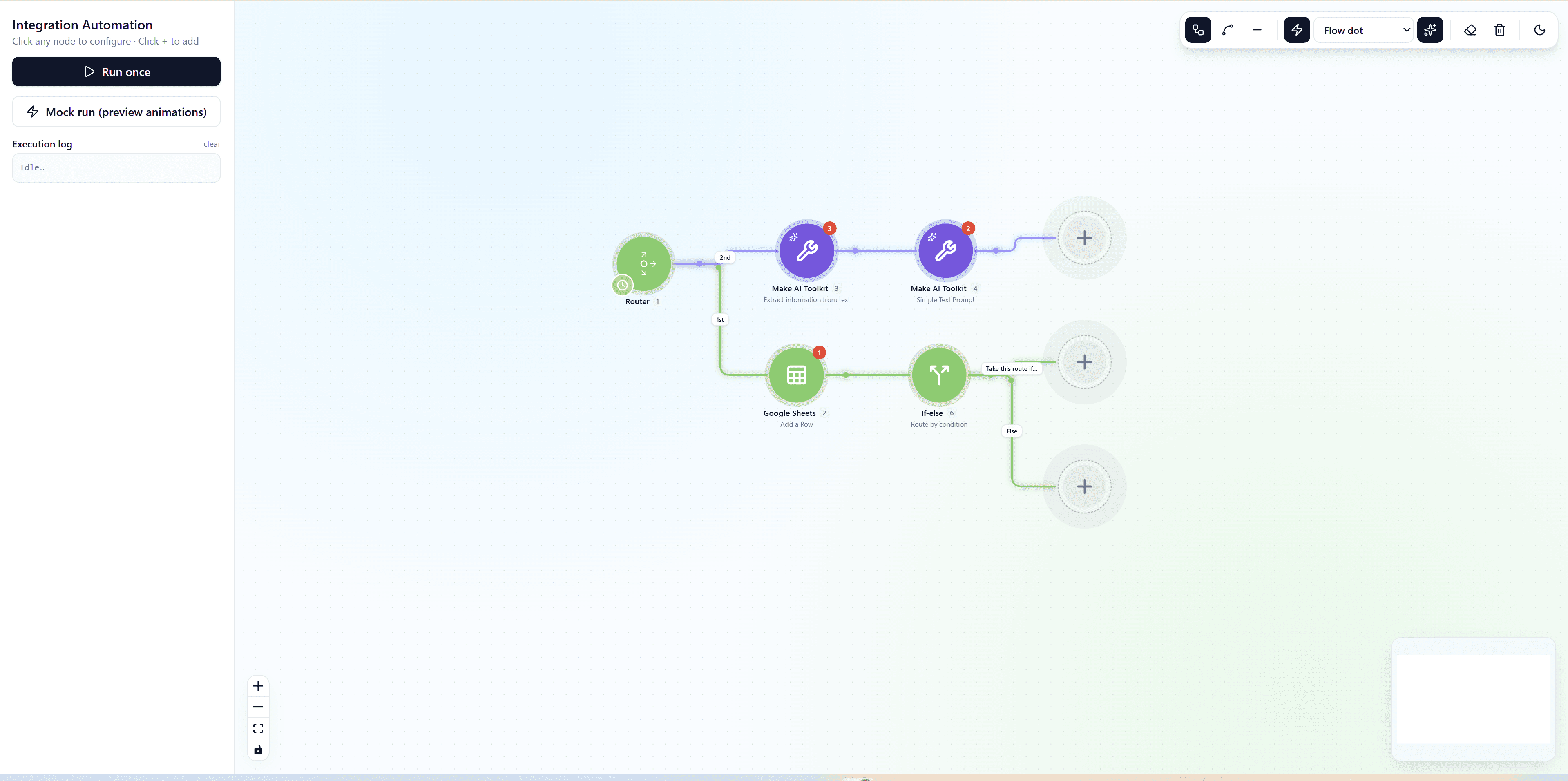
Visualizing Complex Pipelines with Flow Weaver and React Flow
Learn how to build a highly interactive, customizable visual builder and workflow orchestration tool using the premium Flow Weaver template.
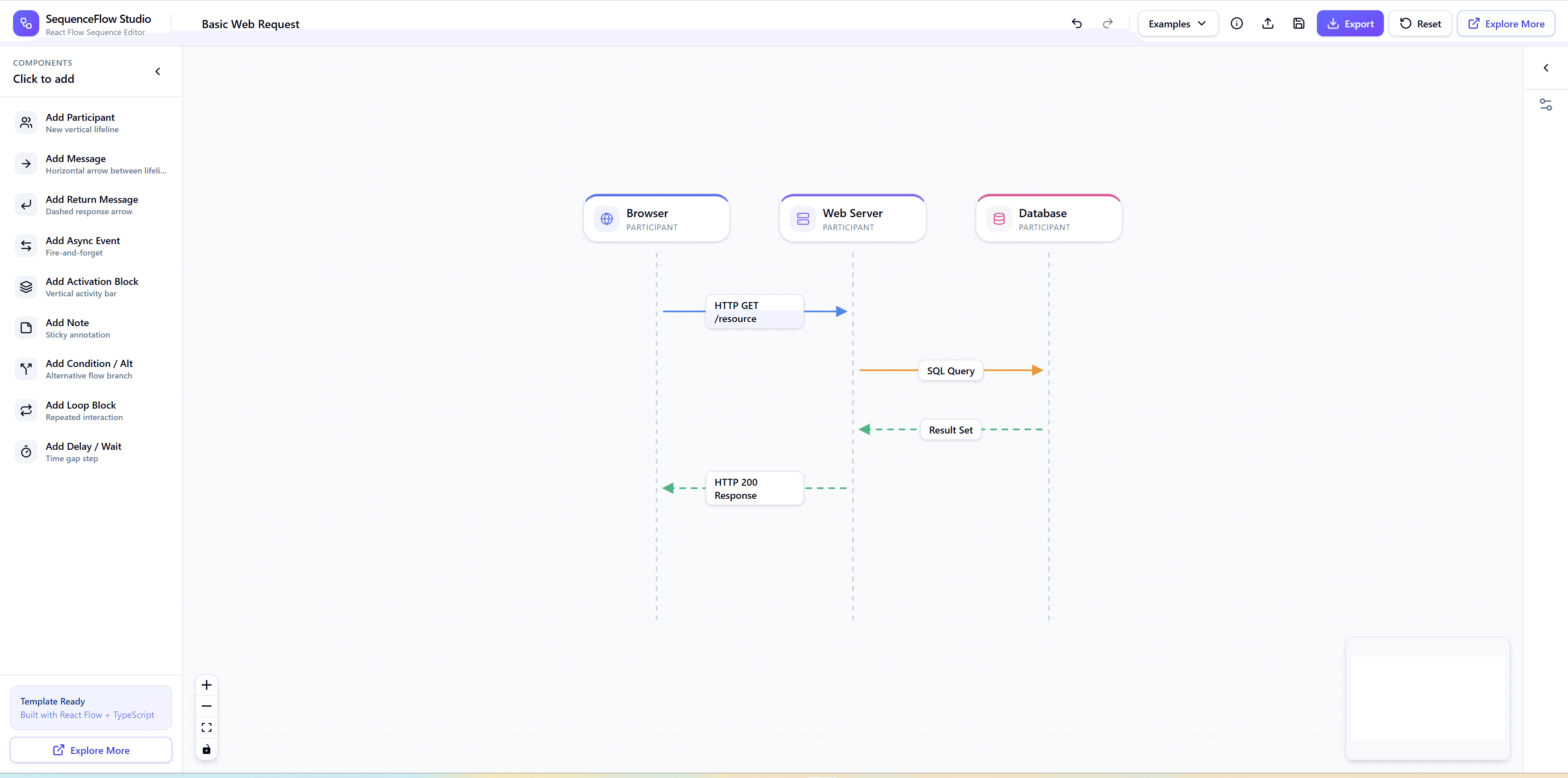
Building UML Sequence Diagrams with React Flow
Learn the complex architectural layout algorithms required to build structured, rigid UML sequence diagrams and timelines using React Flow.
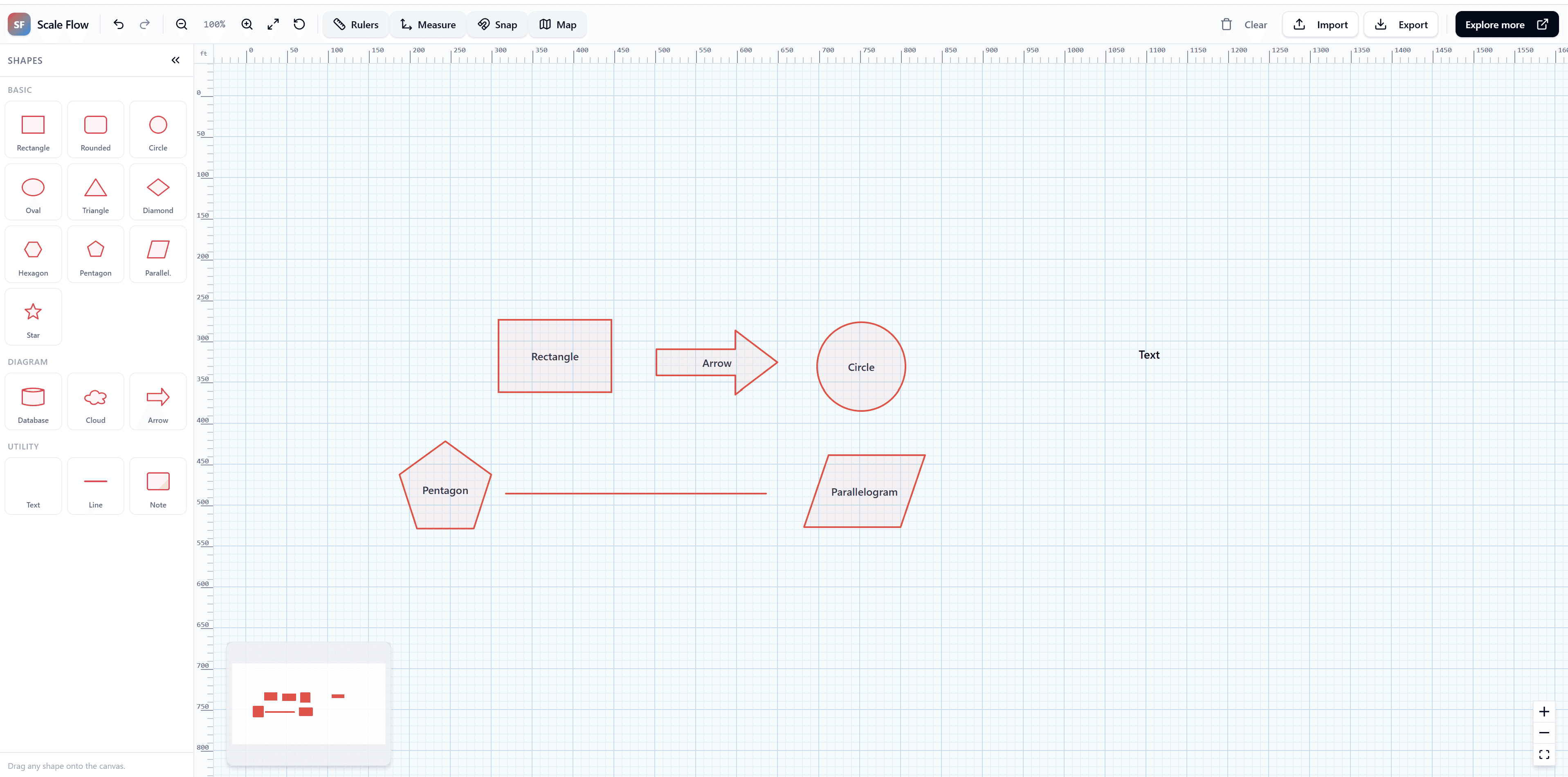
Architecting for Massive Scale in React Flow
A comprehensive guide on handling thousands of nodes with virtualized rendering and advanced minimap optimization in React Flow.