BPMN editor with React Flow
Pro
About BPMN editor with React Flow
Design professional BPMN diagrams with React Flow. Customize nodes, build swimlanes, use 12+ premium themes, and export business workflows with VisualFlow.
BPMN Editor with React Flow – Design, Customize, and Visualize Business Workflows
VisualFlow BPMN Editor is a powerful visual diagramming tool built with React Flow for designing, modeling, and managing business processes using Business Process Model and Notation (BPMN). It provides an intuitive drag-and-drop workspace where users can create professional workflow diagrams, connect process activities, visualize decisions, and organize complex business operations.
Whether you are designing an approval process, mapping an employee onboarding workflow, or documenting an enterprise business process, VisualFlow BPMN Editor makes workflow modeling easier, more flexible, and visually engaging.
Key Features of VisualFlow BPMN Editor
1. Interactive BPMN Shape Library
Build workflows using an extensive collection of BPMN elements. The editor includes start events, intermediate events, end events, user tasks, service tasks, gateways, sequence flows, message flows, data objects, pools, and swimlanes.
Simply drag and drop elements onto the canvas to start designing your business process.
2. Advanced Node Customization
Customize individual BPMN nodes to match your workflow requirements and visual preferences. Adjust node dimensions, background colors, borders, typography, icons, opacity, and other appearance properties.
Apply different styling presets to create consistent and visually appealing workflow diagrams while preserving BPMN element semantics.
3. 12+ Premium Editor Themes
Personalize your diagramming experience with more than 12 professionally designed themes, including Classic Light, Midnight Dark, Nordic, Ocean Blue, Emerald Studio, Purple Haze, Dracula, Cyber Neon, and Graphite Pro.
Users can also create custom themes, adjust interface colors, save personalized configurations, and switch between light and dark modes. Light mode is enabled by default.
4. Infinite Canvas and Smart Diagramming
Powered by React Flow, the editor provides a flexible canvas for building simple and complex BPMN diagrams.
Enjoy smooth zooming, panning, grid customization, snap-to-grid, multi-selection, alignment guides, copy and paste, node duplication, and a navigable minimap.
The spacious canvas makes it easier to organize large business process diagrams.
5. Professional Swimlanes and Pools
Organize business processes using BPMN pools and swimlanes. Create multiple lanes, assign activities to different departments or participants, resize containers, and organize cross-functional workflows.
This feature is especially useful for visualizing responsibilities, departmental interactions, and collaboration between different process participants.
6. Customizable Connections and Edges
Create meaningful relationships between workflow elements using customizable connections. Configure sequence flows, conditional flows, message flows, and associations.
Customize edge styles, colors, thickness, labels, arrowheads, and routing options to make complex process relationships easier to understand.
7. Undo, Redo, and Editing History
Experiment with your workflow designs without worrying about losing previous changes. The editor supports undo and redo for important diagramming operations, including node creation, deletion, movement, styling, and connection editing.
Keyboard shortcuts make repetitive editing tasks faster and more convenient.
8. Automatic Workflow Layout
Organize complex diagrams using automatic layout options. Choose from hierarchical, tree, left-to-right, top-to-bottom, and other layout arrangements.
With layout algorithms such as ELK.js and Dagre, users can improve diagram organization, reduce overlapping elements, and create cleaner workflow structures.
9. Interactive Guided Tour
New users can explore the editor through an interactive product tour. Instead of relying only on documentation, the guided experience demonstrates how to add BPMN elements, connect nodes, customize tasks, create swimlanes, and use canvas tools.
The tour includes visual instructions and interactive demonstrations to help beginners understand the workflow-building process.
10. BPMN Validation and Accessibility
Identify common diagramming issues through the built-in validation experience. Check for disconnected activities, missing events, invalid connections, and other common modeling problems.
Keyboard-friendly controls, screen-reader labels, visible focus indicators, and high-contrast options help make the editor more accessible.
11. Save, Import, and Export
Manage workflow diagrams with convenient file operations. Save diagrams, import existing projects, and export your work in multiple formats, including PNG, SVG, PDF, JSON, and BPMN 2.0 XML.
These options make it easier to share workflow diagrams, document business processes, and integrate diagrams into other projects.
12. Workflow Templates and Examples
Start faster with ready-made BPMN workflow templates. Explore examples such as employee onboarding, order processing, payment approval, customer support, library book lending, recruitment, and insurance claim processing.
Use existing diagrams as starting points and customize them according to your business requirements.
Who Can Use a React Flow BPMN Editor?
VisualFlow BPMN Editor is suitable for:
- Business Analysts: Map business processes, identify bottlenecks, and document operational workflows.
- Software Developers: Visualize application logic, service interactions, and process automation.
- Project Managers: Design approval workflows, task sequences, and team responsibilities.
- Process Designers: Create BPMN diagrams using standard modeling elements.
- Students and Educators: Learn BPMN concepts and practice visual process modeling.
- Enterprise Teams: Document cross-functional processes using pools, lanes, and gateways.
Why Use React Flow for BPMN Diagramming?
React Flow provides a flexible foundation for building interactive node-based applications. Its customizable nodes, edges, handles, viewport controls, and extensible architecture make it suitable for developing advanced BPMN editors and workflow modeling tools.
By combining React Flow with custom BPMN components, VisualFlow provides an adaptable environment for creating, connecting, styling, and organizing business process diagrams.
Frequently Asked Questions
What is a BPMN Editor?
A BPMN Editor is a visual modeling tool used to create and manage business process diagrams using Business Process Model and Notation (BPMN). It helps users represent activities, events, gateways, and connections in a structured workflow.
Can I create BPMN diagrams using React Flow?
Yes. React Flow provides the interactive canvas, custom nodes, edges, and connection management needed to build a BPMN diagram editor. BPMN-specific components and semantic rules can be implemented on top of React Flow.
Can I customize BPMN nodes?
Yes. VisualFlow BPMN Editor provides extensive node customization options, including dimensions, colors, borders, typography, icons, and styling presets.
Does the editor support swimlanes and pools?
Yes. Users can organize processes using pools and lanes to represent different participants, departments, and responsibilities.
Can I export BPMN diagrams?
The editor is designed to support PNG, SVG, PDF, JSON, and BPMN 2.0 XML export, making it suitable for diagram sharing, documentation, and further processing.
Is the BPMN Editor suitable for beginners?
Yes. Its drag-and-drop interface, reusable templates, explanatory tooltips, and interactive guided tour help beginners learn how to build BPMN diagrams.
Build Better Business Processes with VisualFlow
VisualFlow BPMN Editor brings together React Flow's flexibility and BPMN's structured approach to business process modeling. With customizable nodes, premium themes, interactive swimlanes, automatic layouts, and an intuitive diagramming workspace, it offers a practical environment for designing and visualizing business workflows.
Start building clearer, more organized, and more professional BPMN diagrams with VisualFlow.
Key Features & Capabilities
Architecture & Technologies
Related Blueprints

React flow concept map
Interactive concept mapping tool for organizing knowledge and visualizing relationships between ideas. Create hierarchical concept maps with drag-and-drop nodes, custom connections, and rich text editing. Perfect for education, research, brainstorming, and knowledge management with intuitive interface for building complex conceptual relationships.
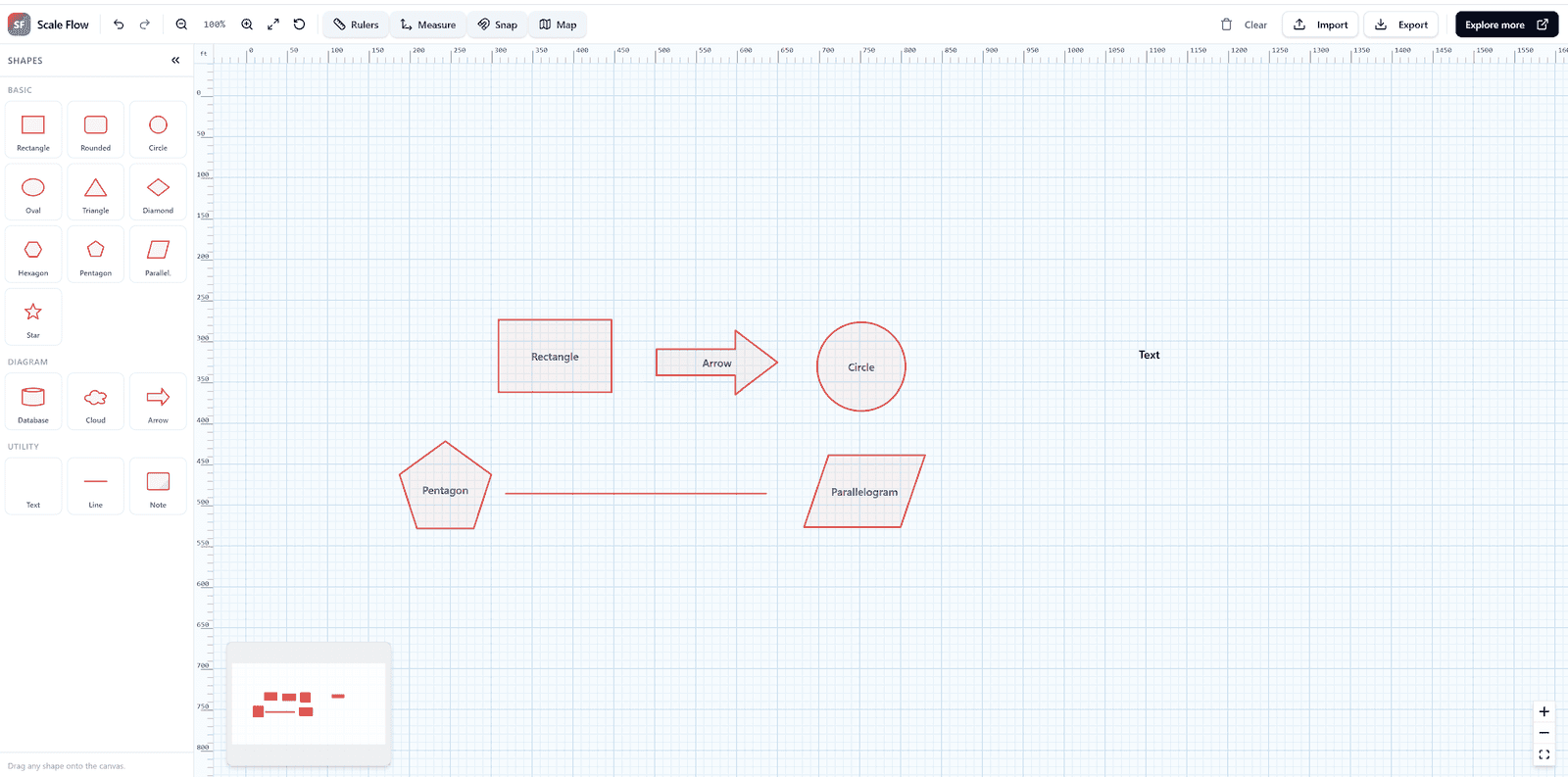
Scale Studio Pro Enterprise with React flow
An enterprise-grade, massive scale diagramming studio built with React Flow. Engineered for performance with thousands of nodes, advanced minimap navigation, and high-fidelity zoom.
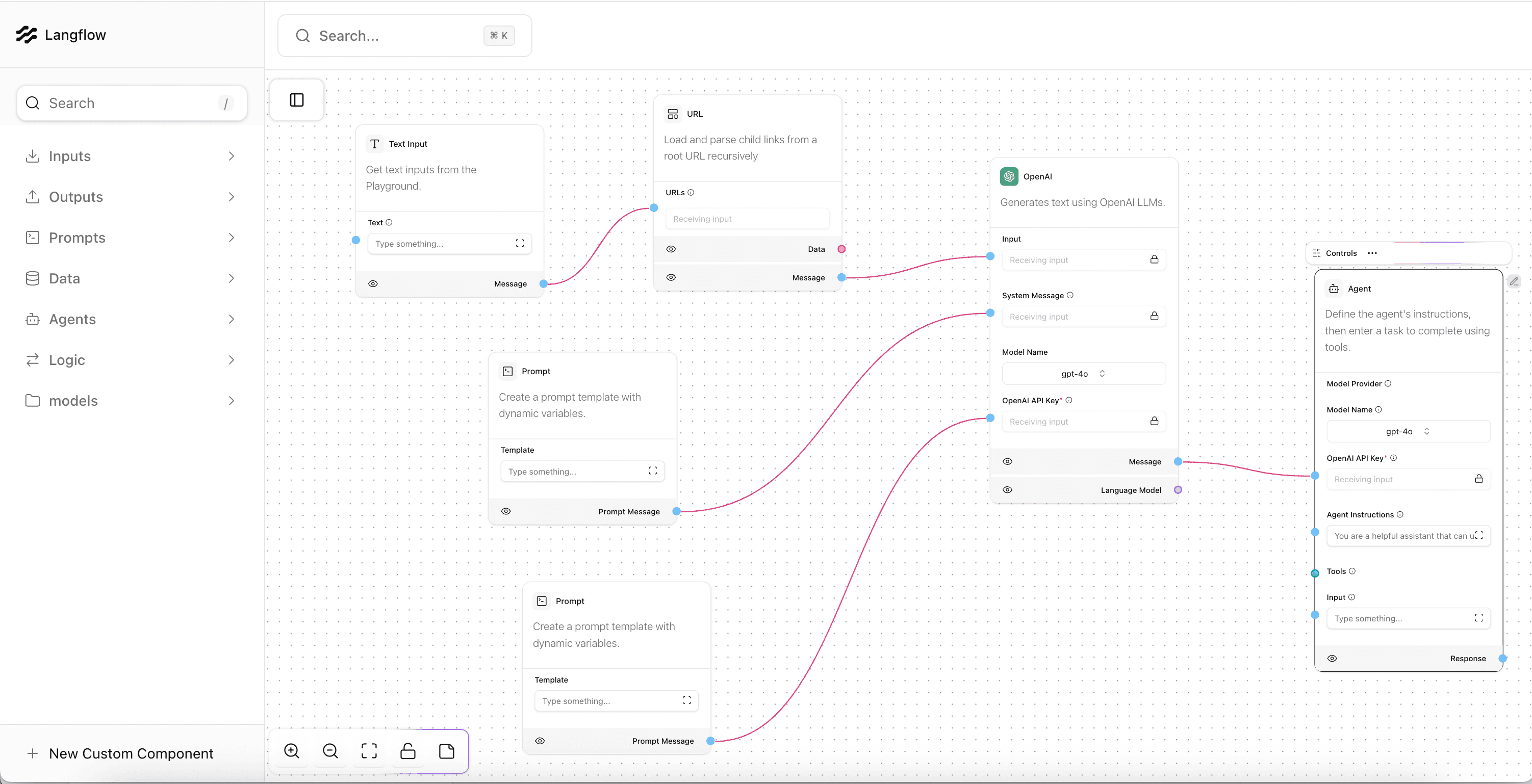
React flow Langflow builder
Langflow is a low-code AI application builder that enables developers to create sophisticated AI workflows, agents, and retrieval-augmented generation (RAG) applications without extensive coding. Build and deploy LLM-powered applications through intuitive visual interface with support for all major large language models, vector databases, and growing library of AI tools. Features prompt templating, model comparison, vector database integration, and production deployment tools for building AI chatbots, content generation systems, and complex reasoning agents.