React Flow Minimap: Build Interactive Mini Maps for Large Node-Based Diagrams
Free
React Flow Minimap: Build Interactive Mini Maps for Large Node-Based Diagrams
# React Flow Minimap: Build Interactive Mini Maps for Large Node-Based Diagrams As node-based applications grow, navigating complex diagrams becomes increasingly challenging. A workflow that starts with a few connected nodes can eventually expand into hundreds of components, multiple services, databases, and interconnected processes. Without proper navigation tools, understanding the overall architecture and locating specific components becomes difficult. The **React Flow Minimap Pattern** demonstrates how to solve this problem by integrating an interactive minimap into a node-based canvas. Using React Flow, developers can create a compact overview of an entire diagram, navigate between distant nodes, and maintain context while exploring complex workflows. The FlowPattern Mini Map Overview example demonstrates this concept through a full-stack technology architecture containing web applications, mobile clients, an API Gateway, backend services, databases, messaging systems, logs, metrics, and a dashboard. Whether you are building workflow editors, system architecture visualizers, network topology tools, or large-scale automation platforms, a React Flow minimap provides an effective way to improve diagram navigation and usability. **Explore the live example:** [https://flow-pattern.vercel.app/?ex=minimap&embed=false](https://flow-pattern.vercel.app/?ex=minimap&embed=false) ## What Is a React Flow Minimap? A React Flow Minimap is a compact visual representation of the entire node-based canvas. It allows users to understand the overall diagram structure and navigate large workflows without manually scrolling across the entire canvas. The minimap works alongside the main React Flow viewport, providing a smaller overview of nodes and connections while indicating the currently visible area. Instead of losing track of their position in a large diagram, users can interact with the minimap to navigate directly to different sections. A typical React Flow minimap provides: - **Full Canvas Overview:** Displays a simplified representation of the complete node graph. - **Viewport Indicator:** Shows which section of the diagram is currently visible. - **Interactive Navigation:** Allows users to navigate to different areas of the canvas. - **Diagram Context:** Helps users understand how different components relate to one another. - **Improved Usability:** Makes large and complex diagrams easier to explore. The React Flow Minimap Pattern demonstrates how this navigation experience can be integrated into a real-world technology architecture diagram. ## What Does the FlowPattern Minimap Example Demonstrate? The example represents a full-stack application architecture where multiple clients communicate with backend services through a centralized API Gateway. Its primary purpose is to demonstrate how a minimap can make a complex, interconnected architecture easier to navigate. ### 1. Full Technology Stack Visualization The diagram represents several layers of a modern application architecture. It includes: - Web App - Mobile - CLI - API Gateway - Authentication - Users - Orders - Notification Service - Redis - PostgreSQL - MongoDB - RabbitMQ - Logs - Metrics - Dashboard These components are organized into a connected node-based architecture, providing a visual overview of how different technologies participate in an application ecosystem. ### 2. Interactive Minimap Navigation The minimap provides a compact overview of the entire architecture. When users explore the main canvas, they can use the minimap to understand their current position and navigate to different sections of the diagram. This is particularly useful when working with large workflows where individual components may be separated by significant canvas distances. ### 3. Multiple Application Entry Points The architecture begins with three different application interfaces: - **Web App:** Represents browser-based application access. - **Mobile:** Represents mobile application access. - **CLI:** Represents command-line interaction. These entry points connect to a centralized API Gateway. This demonstrates how multiple client applications can communicate with a shared backend infrastructure. ### 4. API Gateway and Backend Services The API Gateway acts as the central routing layer. From this point, requests can be directed toward different backend services: - **Auth:** Handles authentication-related operations. - **Users:** Represents user management functionality. - **Orders:** Represents order processing. - **Notify:** Represents notification-related operations. This structure illustrates how backend responsibilities can be separated into distinct services. ### 5. Database and Infrastructure Connections The architecture also demonstrates how services connect with different infrastructure components. | Component | Technology | Purpose | | --- | --- | --- | | Authentication | Redis | Supporting authentication-related infrastructure | | User Service | PostgreSQL | Relational data storage | | Order Service | MongoDB | Document-based data storage | | Notification | RabbitMQ | Message-based communication | | Observability | Logs | Application logging | | Observability | Metrics | Performance and operational metrics | | Monitoring | Dashboard | Consolidated monitoring view | These connections help users understand the relationship between application services and their supporting infrastructure. ### 6. Zoom and Canvas Controls Large diagrams require more than a visual overview. Users also need practical navigation controls. React Flow provides viewport controls that support zooming, fitting the diagram into view, and navigating different areas of the canvas. Together with the minimap, these controls create a more manageable experience for complex diagrams. ## Why Is a Minimap Important in Large React Flow Applications? As a React Flow application grows, the number of nodes and edges can increase significantly. A small workflow may fit comfortably inside the initial viewport. However, larger diagrams often extend beyond the visible canvas in multiple directions. Without navigation assistance, users may experience several problems: **1. Losing Context** Users may not understand where they are within the overall diagram after navigating away from the initial view. **2. Difficult Navigation** Finding a specific node in a large architecture can require repeated zooming, panning, and scrolling. **3. Limited Structural Visibility** Users may struggle to understand how distant sections of a workflow connect. **4. Poor Diagram Usability** A complex canvas without appropriate navigation tools can become difficult to explore, especially for first-time users. A minimap addresses these challenges by providing a persistent overview of the diagram and a convenient navigation mechanism. ## How to Implement a Minimap in React Flow React Flow provides a built-in `MiniMap` component that can be integrated directly into a React Flow canvas. The implementation requires a React Flow instance, nodes, edges, and the MiniMap component. ### 1. Install React Flow Start by installing the React Flow package. ``` npm install @xyflow/react ``` Import the required components and stylesheet: ``` import { ReactFlow, MiniMap, Controls, Background, BackgroundVariant, } from "@xyflow/react"; import "@xyflow/react/dist/style.css"; ``` ### 2. Define Your Nodes and Edges Create the architecture using React Flow nodes and edges. For example: ``` const nodes = [ { id: "web", position: { x: 0, y: 100 }, data: { label: "Web App" }, }, { id: "mobile", position: { x: 0, y: 250 }, data: { label: "Mobile" }, }, { id: "gateway", position: { x: 250, y: 175 }, data: { label: "API Gateway" }, }, { id: "auth", position: { x: 500, y: 50 }, data: { label: "Auth" }, }, { id: "users", position: { x: 500, y: 175 }, data: { label: "Users" }, }, { id: "orders", position: { x: 500, y: 300 }, data: { label: "Orders" }, }, ]; const edges = [ { id: "e1", source: "web", target: "gateway", }, { id: "e2", source: "mobile", target: "gateway", }, { id: "e3", source: "gateway", target: "auth", }, { id: "e4", source: "gateway", target: "users", }, { id: "e5", source: "gateway", target: "orders", }, ]; ``` These arrays provide a simplified architecture for demonstrating the minimap implementation. ### 3. Add the MiniMap Component The most important step is integrating the MiniMap component inside the ReactFlow component. ``` function ArchitectureFlow() { return ( <div className="h-screen w-full"> <ReactFlow nodes={nodes} edges={edges} fitView > <Background variant={BackgroundVariant.Dots} gap={16} size={1} /> <Controls /> <MiniMap /> </ReactFlow> </div> ); } ``` The MiniMap automatically generates an overview of the React Flow diagram. As nodes and edges change, the minimap reflects the updated graph. ### 4. Customize the Minimap Appearance React Flow allows developers to customize the minimap to match their application's design system. For example: ``` <MiniMap nodeStrokeWidth={3} zoomable pannable ariaLabel="Architecture diagram minimap" /> ``` Additional styling options include: - `nodeColor`: Controls the fill color of minimap nodes. - `nodeStrokeColor`: Defines node border colors. - `nodeClassName`: Applies CSS classes to minimap nodes. - `maskColor`: Customizes the area outside the current viewport. - `position`: Controls minimap placement. - `zoomable`: Enables zooming through the minimap. - `pannable`: Enables navigation by dragging the minimap viewport. These options make it possible to create a minimap that visually matches custom node designs and application themes. ### 5. Create Dynamic Minimap Node Colors For architecture diagrams containing different types of nodes, developers can use color coding to improve visual recognition. ``` <MiniMap nodeColor={(node) => { switch (node.type) { case "service": return "#10B981"; case "database": return "#3B82F6"; case "gateway": return "#F59E0B"; default: return "#94A3B8"; } }} pannable zoomable /> ``` This approach makes different architectural components easier to distinguish within the minimap. *Note: The node types must be defined consistently in your node data and registered custom node types.* ## Key Features of the React Flow Minimap Pattern | Feature | Description | | --- | --- | | Interactive Minimap | Provides an overview of the complete node graph | | Viewport Navigation | Helps users locate their current position | | Full Architecture Overview | Displays multiple connected technology components | | Pan and Zoom | Supports navigation across large diagrams | | Custom Node Support | Works with custom React Flow node components | | Dynamic Graph Support | Updates the overview as the graph changes | | TypeScript Compatibility | Supports structured React Flow development | ## Practical Use Cases of React Flow Minimap The minimap pattern is useful in applications where users need to navigate large node-based structures. ### 1. Workflow Automation Builders Automation platforms often contain numerous triggers, conditions, actions, and integrations. A minimap allows users to understand the complete workflow while navigating individual sections. ### 2. Microservices Architecture Visualization Microservices systems can include dozens of services, databases, message brokers, and API gateways. A minimap helps developers understand the overall system topology and locate specific services. ### 3. System Architecture Editors Developers can use React Flow minimaps to build architecture design tools where users visualize infrastructure, applications, services, and communication paths. ### 4. Network Topology Visualization Network diagrams can contain routers, switches, servers, gateways, and interconnected devices. A minimap makes it easier to explore large network structures without losing the overall topology. ### 5. Data Pipeline Editors Data processing applications frequently involve multiple input sources, transformations, processing stages, and output destinations. A minimap provides a compact overview of the entire pipeline. ### 6. Visual Programming Applications Visual programming tools allow users to connect functional blocks and construct complex logic. A minimap improves navigation when programs contain many interconnected components. ### 7. AI Workflow and Agent Builders AI applications can contain language models, tools, memory components, conditional branches, and multiple agents. A minimap helps users understand how these components interact across a larger visual workflow. ## Customization Ideas: Build a More Advanced Minimap The basic React Flow MiniMap component can be extended to support more sophisticated navigation experiences. Here are some useful enhancements: ### 1. Custom Minimap Node Shapes Represent different node categories with unique colors and visual indicators. For example, databases, services, triggers, and AI agents can each have their own visual identity. ### 2. Search-Based Navigation Add a search interface that allows users to find a specific node by name and automatically navigate to its position. ### 3. Dynamic Node Highlighting Highlight selected nodes within the minimap to help users identify important components. ### 4. Collapsible Architecture Groups Allow users to collapse large sections of a diagram and explore individual groups without overwhelming the canvas. ### 5. Custom Minimap Positioning Provide configurable minimap positions and sizes to accommodate different application layouts. ### 6. Full-Screen Diagram Navigation Combine the minimap with full-screen canvas controls to provide more workspace for complex architecture diagrams. ### 7. Real-Time Architecture Updates Integrate live data sources so that changes in services, workflows, or infrastructure are reflected in the diagram and its minimap. ### 8. Performance Optimization For extremely large diagrams, consider viewport-based rendering, hidden or collapsed sections, memoized node components, and efficient graph updates. A minimap improves navigation, but it does not independently solve the rendering performance challenges of thousands of nodes. ## Best Practices for Building Scalable React Flow Minimap Applications When implementing a minimap in a production application, consider the following recommendations. **1. Maintain Consistent Node Styling** Use recognizable colors and shapes so that users can identify different node categories quickly. **2. Avoid Excessive Visual Complexity** The minimap should provide an overview rather than reproduce every detail of the main canvas. **3. Choose an Appropriate Minimap Size** Ensure the minimap is large enough to support navigation without occupying too much workspace. **4. Use Meaningful Node Colors** Color-code important components such as services, databases, and gateways to improve recognition. **5. Support Keyboard Accessibility** Provide keyboard navigation and appropriate accessibility labels for users who do not rely exclusively on pointer interactions. **6. Optimize Large Graphs** Use efficient node rendering, stable references, and appropriate graph state management when building large-scale applications. **7. Test Different Zoom Levels** Verify that the minimap remains useful when users zoom in, zoom out, and navigate across different diagram regions. ## Why Choose React Flow for Minimap-Based Applications? React Flow provides a flexible foundation for developing interactive node-based applications. Its built-in MiniMap component eliminates the need to create an entire navigation overview from scratch. Developers can combine the minimap with custom nodes, edges, viewport controls, and layout algorithms to build sophisticated visual experiences. Key advantages include: - Built-in minimap functionality. - Customizable node and edge rendering. - Interactive canvas navigation. - Integration with React component architecture. - Support for TypeScript. - Extensible architecture for complex applications. For developers building workflow editors, architecture visualizers, and visual programming tools, React Flow offers the flexibility needed to implement effective diagram navigation. ## Explore the React Flow Minimap Pattern The **FlowPattern React Flow Minimap Pattern** demonstrates how a minimap can improve navigation across a connected, full-stack technology architecture. The example includes web, mobile, and CLI entry points, an API Gateway, backend services, databases, messaging infrastructure, logs, metrics, and a dashboard. By combining an interactive canvas with a compact minimap overview, it demonstrates a practical approach to navigating complex node-based diagrams. Whether you are building a workflow automation platform, microservices architecture editor, or visual programming application, this example provides a useful starting point. **Explore the live example and start building interactive React Flow diagrams with minimap navigation.** [Explore the React Flow Minimap Example](https://flow-pattern.vercel.app/?ex=minimap&embed=false) ## Frequently Asked Questions (FAQ) ### 1. What is a minimap in React Flow? A minimap in React Flow is a compact overview of the entire node-based diagram. It allows users to understand the graph structure and navigate different areas of the canvas without manually scrolling through the entire workflow. ### 2. How do I add a minimap to React Flow? Import the `MiniMap` component from `@xyflow/react` and place it inside the `ReactFlow` component. ``` import { ReactFlow, MiniMap } from "@xyflow/react"; <ReactFlow nodes={nodes} edges={edges}> <MiniMap /> </ReactFlow> ``` ### 3. Can I customize the React Flow minimap? Yes. React Flow supports customization options such as node colors, stroke colors, CSS classes, viewport mask colors, positioning, zooming, and panning. ### 4. Does the React Flow minimap update automatically? Yes. The minimap reflects changes to the React Flow graph, including node and edge updates managed through the React Flow state. ### 5. Can users navigate a React Flow diagram using the minimap? Yes. The minimap supports interactive navigation. Users can move the viewport to different areas of the diagram, and can enable panning and zooming through its available configuration options. ### 6. Is React Flow minimap useful for large diagrams? Yes. A minimap is particularly useful for large diagrams because it provides an overview of the complete graph and helps users navigate distant sections. However, additional rendering and state-management optimizations may be necessary for extremely large graphs. ### 7. Can I use custom nodes with the React Flow minimap? Yes. The React Flow minimap supports custom node types. Developers can customize minimap node colors and styling to represent different categories of components. ### 8. What is the difference between React Flow Controls and MiniMap? React Flow Controls provide direct viewport actions such as zooming in, zooming out, and fitting the diagram into view. The MiniMap provides a visual overview of the complete diagram and helps users navigate between different sections. ### 9. Can I use a minimap in workflow automation applications? Yes. A minimap is useful in workflow automation applications containing multiple triggers, conditions, actions, and interconnected processes. It helps users understand the overall workflow while working on individual sections. ### 10. Is the FlowPattern Minimap example free? The FlowPattern project describes itself as free and open source, with 22 React Flow examples and MIT-friendly snippets. You can explore the Minimap Overview example and its source through the live project. **Technology:** React · React Flow (@xyflow/react) · TypeScript **Explore more interactive React Flow examples:** [https://flow-pattern.vercel.app/](https://flow-pattern.vercel.app/)
Architecture & Features
Free to use for commercial and personal projects.
Related Pro Examples
Explore our newest commercial React Flow templates & workflows
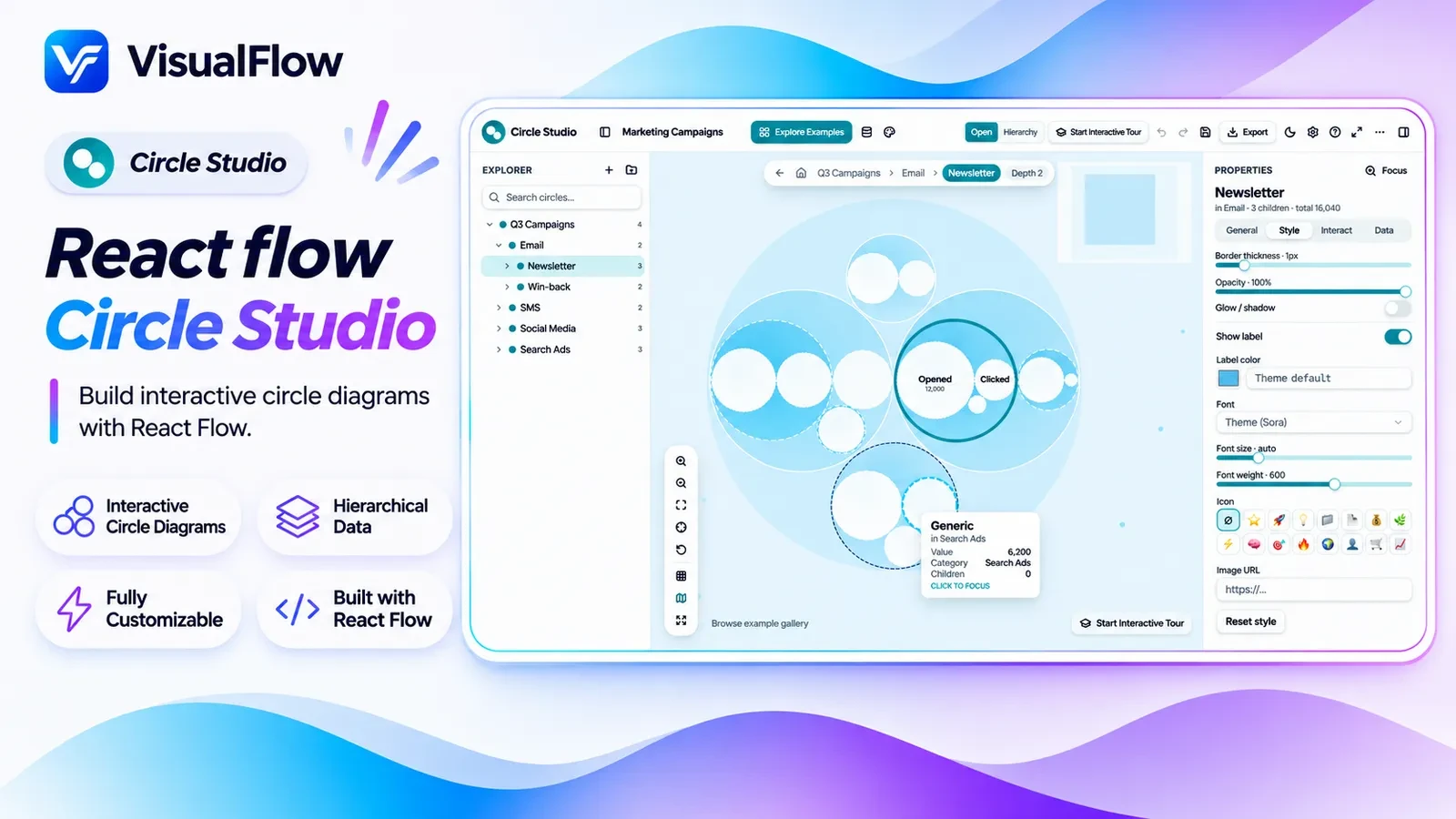
React Flow Circle Studio: Create Interactive Circle Packing Visualizations for Hierarchical Data
React Flow Circle Studio by VisualFlow demonstrates an interactive approach to hierarchical data visualization using a zoomable circle packing layout. Instead of representing information through conventional tables or linear charts, circle packing organizes data into nested circles. Each circle represents an item or category, while smaller circles inside it represent its children or related elements. This visualization technique makes it easier to understand hierarchical structures, explore relationships, and navigate datasets through an interactive visual representation. Whether you're developing data visualization dashboards, exploring nested datasets, building analytical interfaces, or creating interactive information explorers, React Flow Circle Studio provides an example of how hierarchical data can be presented through a circle-based visual layout.
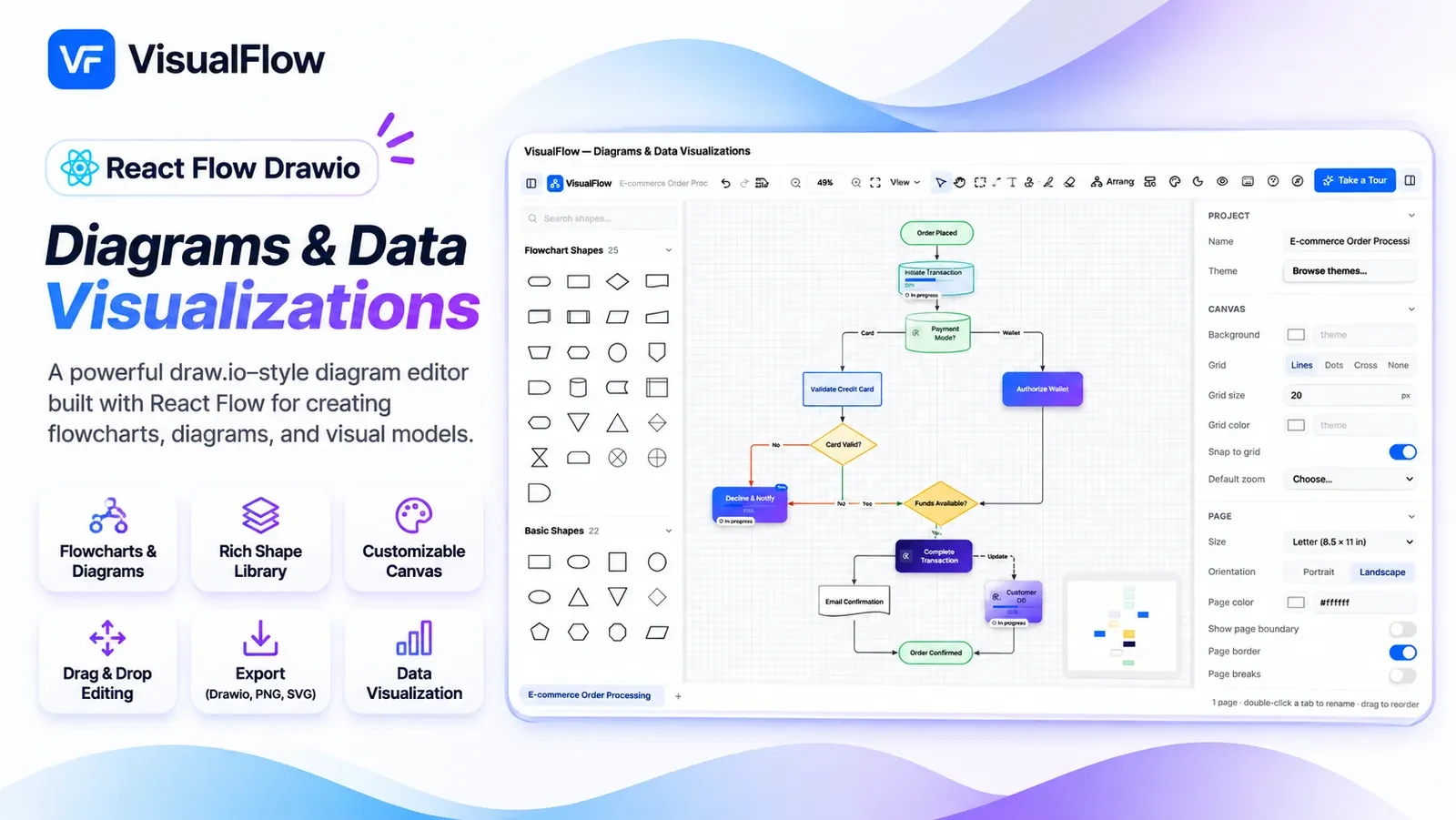
VisualFlow Diagram Maker – Flowcharts, BPMN & Data Visualization
Create professional flowcharts, BPMN diagrams, and data visualizations with VisualFlow. Explore customizable nodes, infinite canvas, templates, and advanced editing tools.
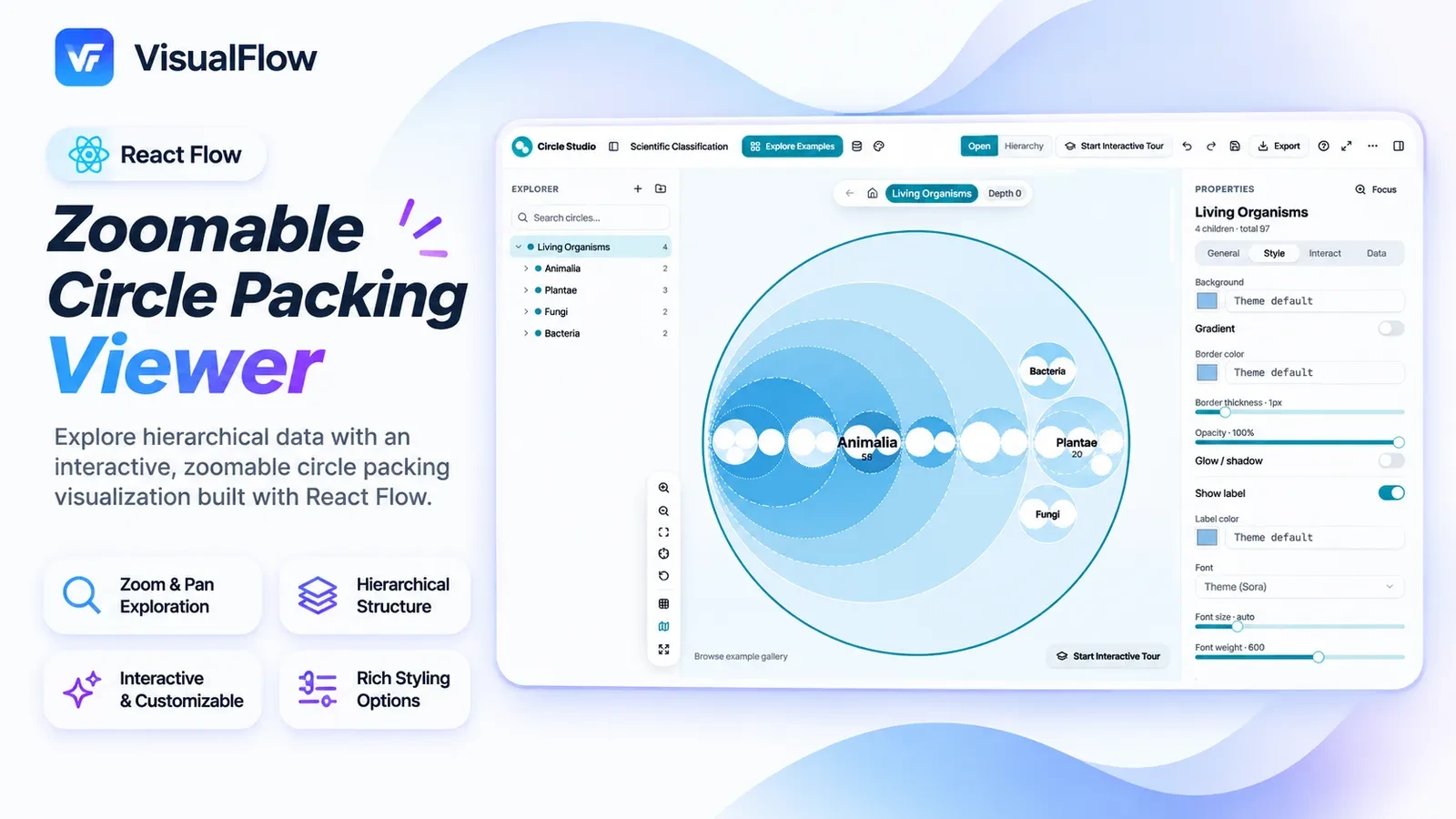
React Flow Zoomable Circle Packing Viewer: Explore Hierarchical Data Through Interactive Circle Visualization
Explore hierarchical data with a React Flow Zoomable Circle Packing Viewer. Discover interactive zooming, nested circles, custom styling, and data visualization features.